
You can open a demo account through the Orbis Securities Client Portal to explore the trading environment and platform features using virtual funds.
Please follow the steps below.
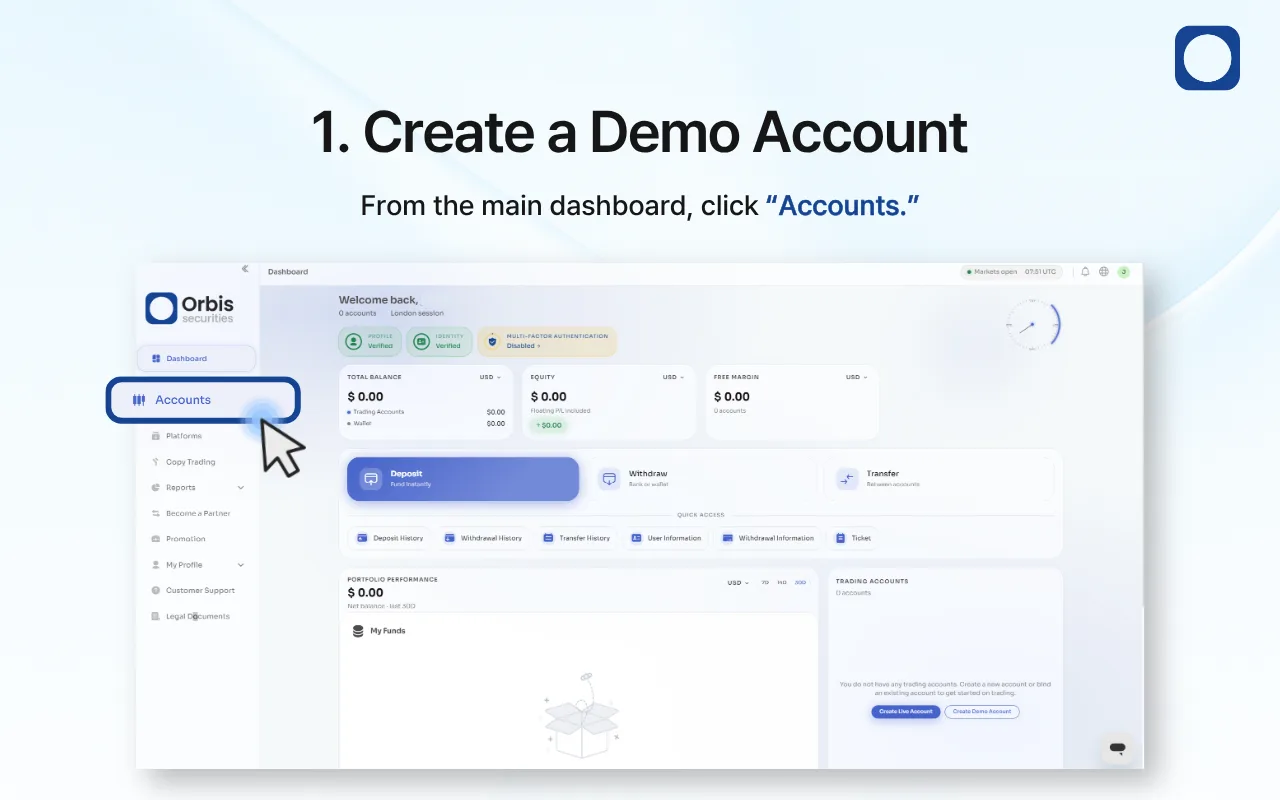
1. Create a Demo Account
Log in to the Orbis Securities Client Portal and click “Accounts” from the left-hand menu.
From the Accounts page, you can view your existing trading accounts and create a new demo account.
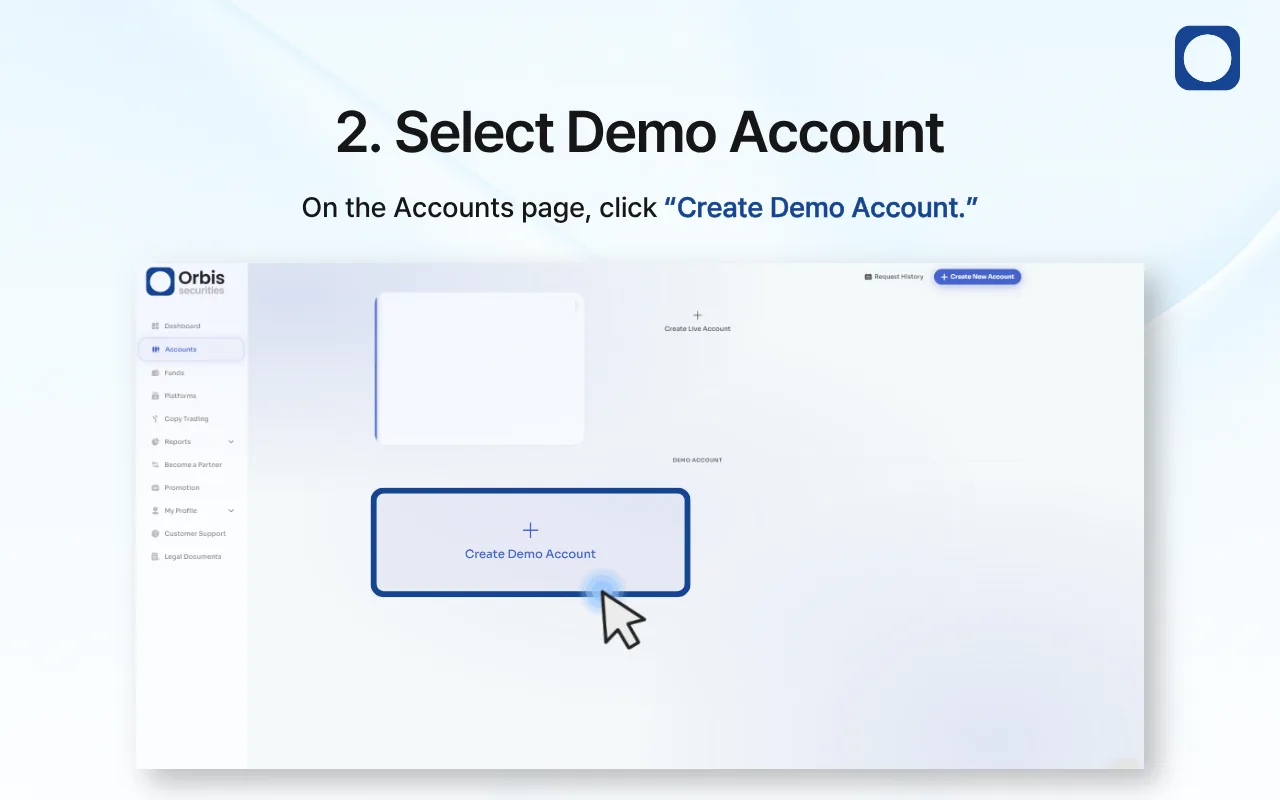
2. Select Demo Account
On the Accounts page, click “Create Demo Account.”
A window will appear where you can configure your new demo account.
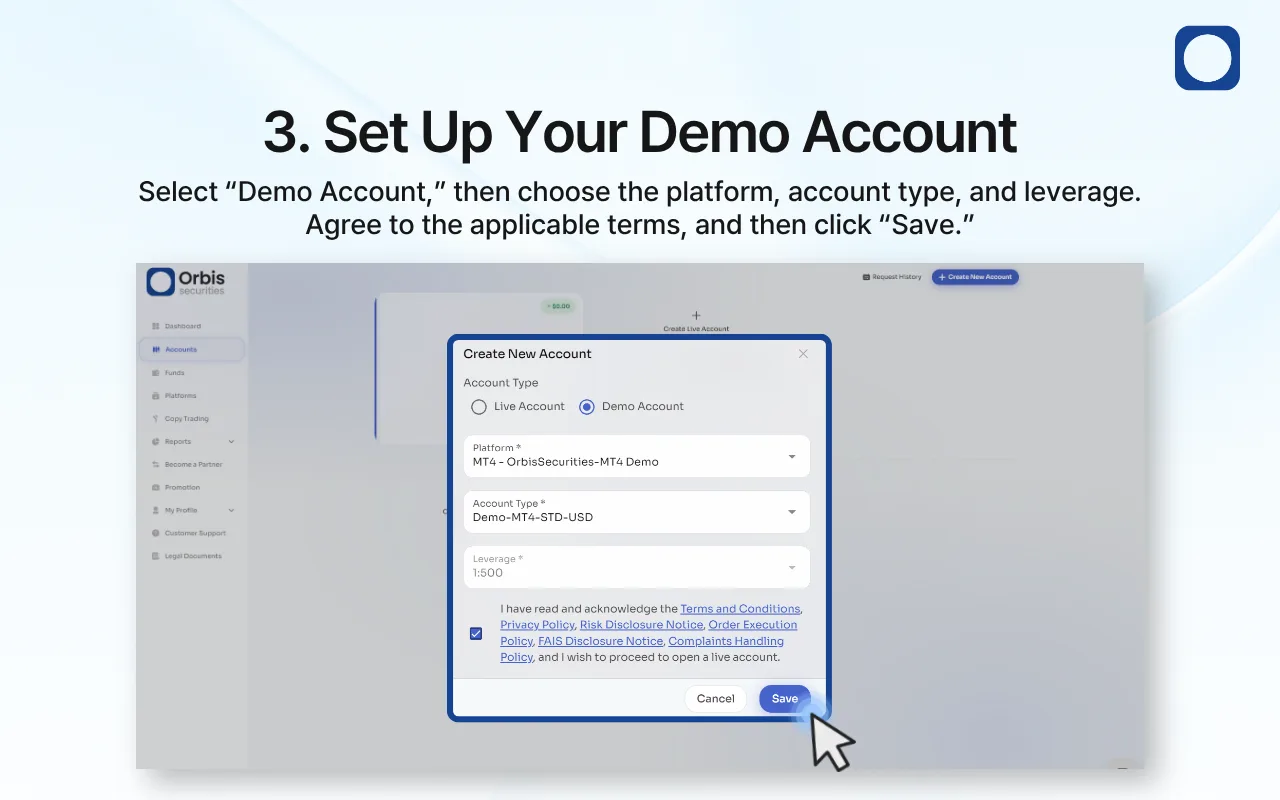
3. Set Up Your Demo Account
Select “Demo Account” as the account type, then choose your preferred platform, account type, and leverage.
Review and agree to the applicable terms and policies, then click “Save” to create your demo account.
Important Notes
A demo account uses virtual funds in a simulated trading environment.
Trading results from a demo account do not represent actual profits or losses.
Available platforms, account categories, and leverage options may vary.
Demo trading conditions may differ from live market conditions.