Orbis Securities allows clients to easily open a Cent account through the Client Portal.
Please follow the steps below to create your Cent account.
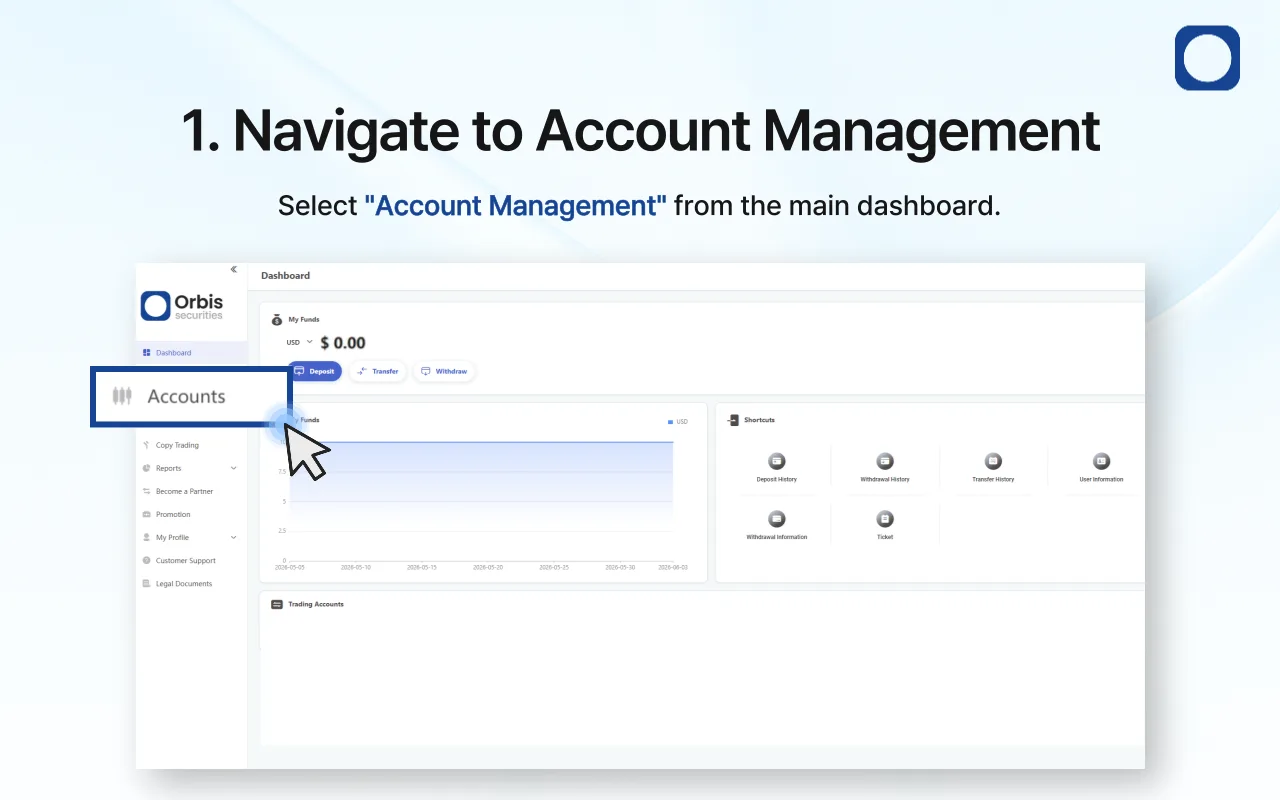
1. Navigate to Account Management
After logging in, go to the Account Management menu from the main dashboard.
In the Account Management section, you can create trading accounts, view account information, and manage account-related settings.
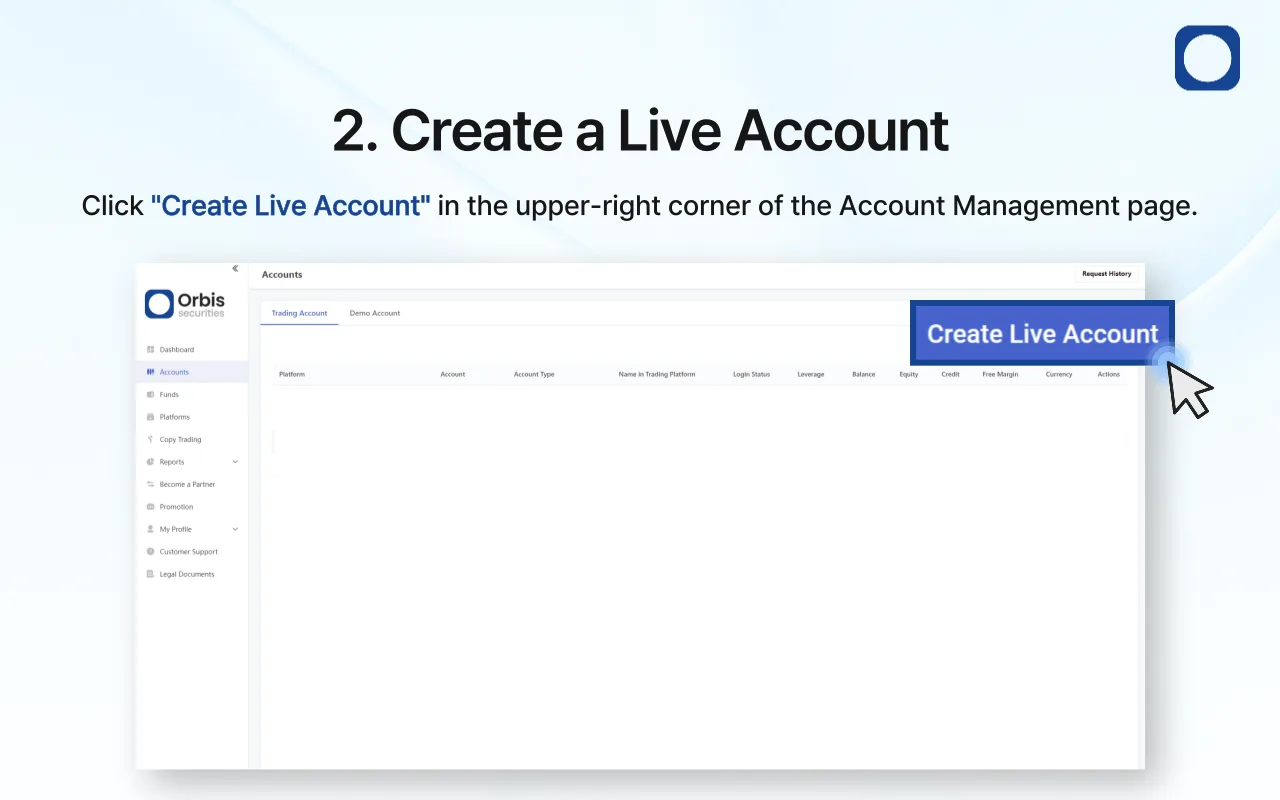
2. Create a Live Account
On the Account Management page, click the Create Live Account button located in the upper-right corner.
A new account creation window will appear.
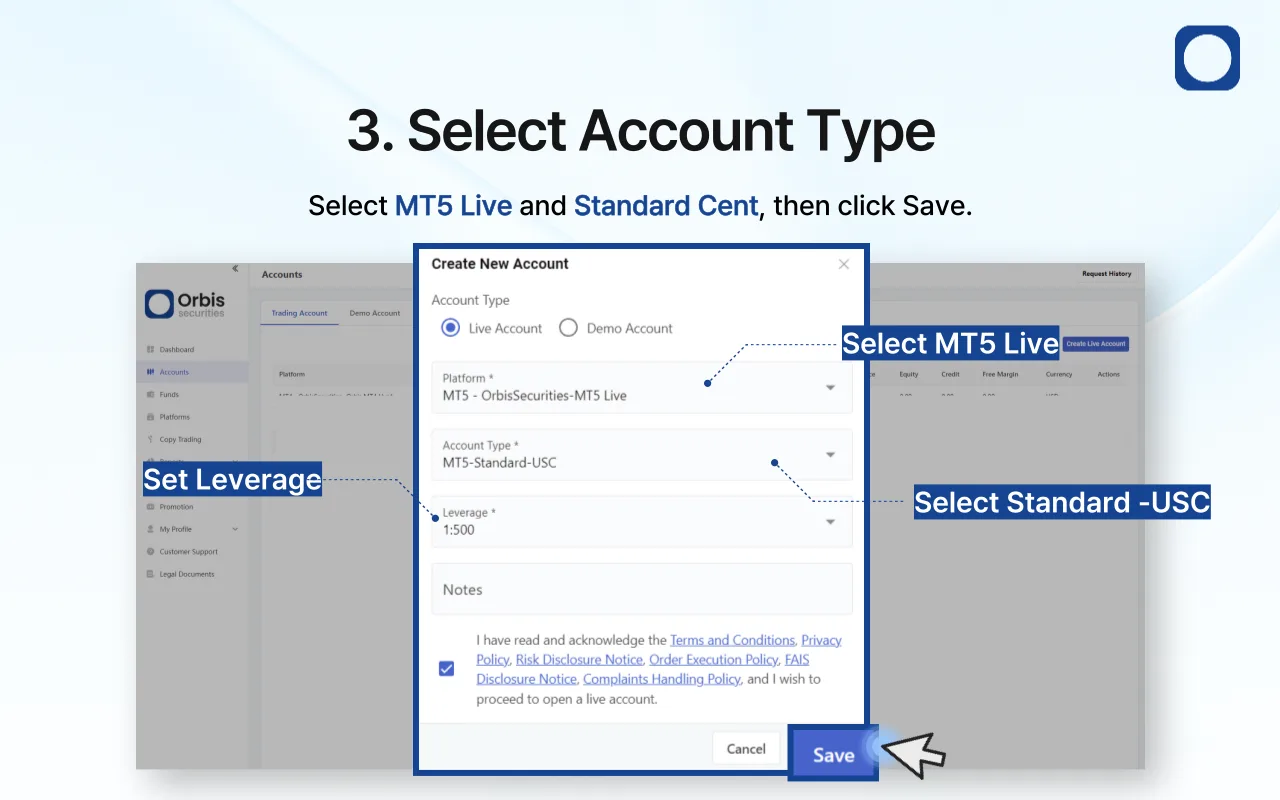
3. Configure Your Cent Account
In the account creation window, select the following options:
Account Type: Live Account
Trading Platform: MT5 - OrbisSecurities-MT5 Live
Account Type: MT5 - Standard Cent
Leverage: Select your preferred leverage
Once all settings have been completed, agree to the Terms and Conditions, Privacy Policy, and Risk Disclosure, then click Save.
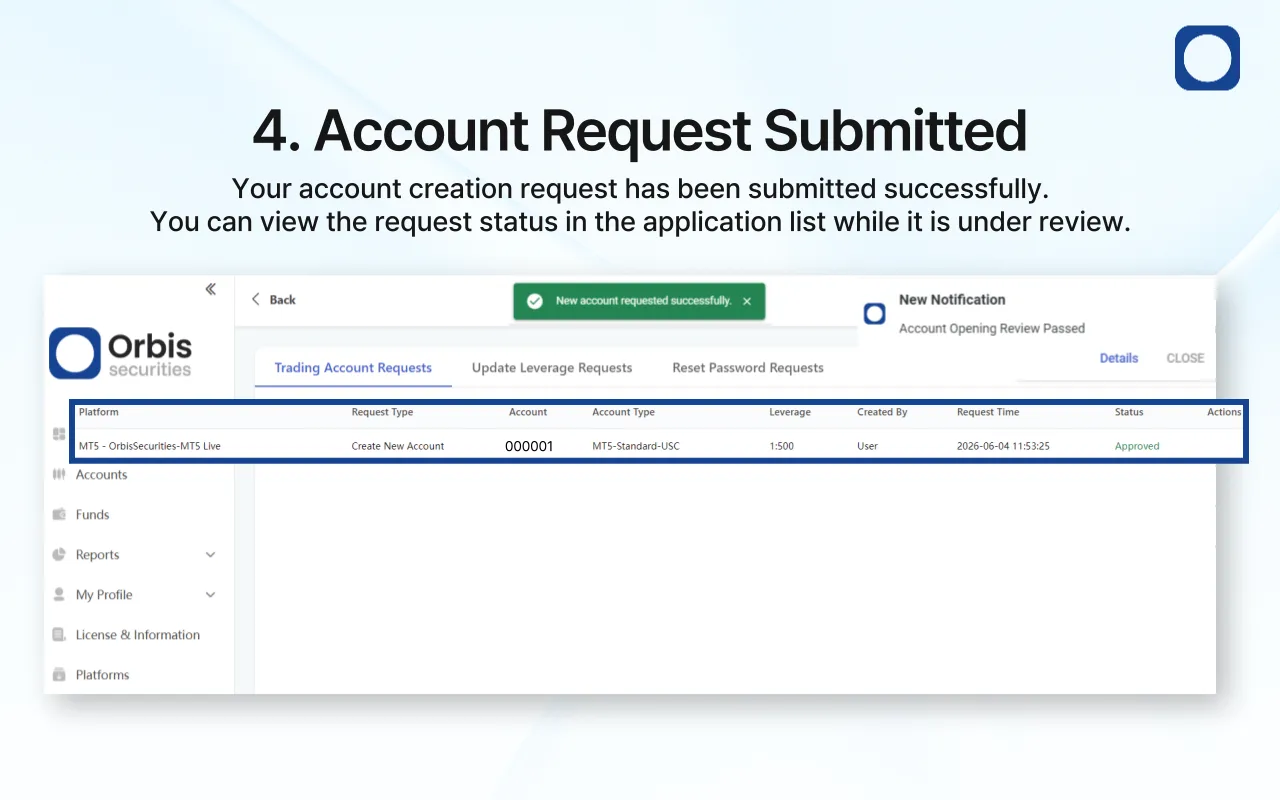
4. Account Creation Request Submitted
After clicking Save, your Cent account creation request will be successfully submitted.
You can view the request in the account application list while it undergoes the internal review and approval process.
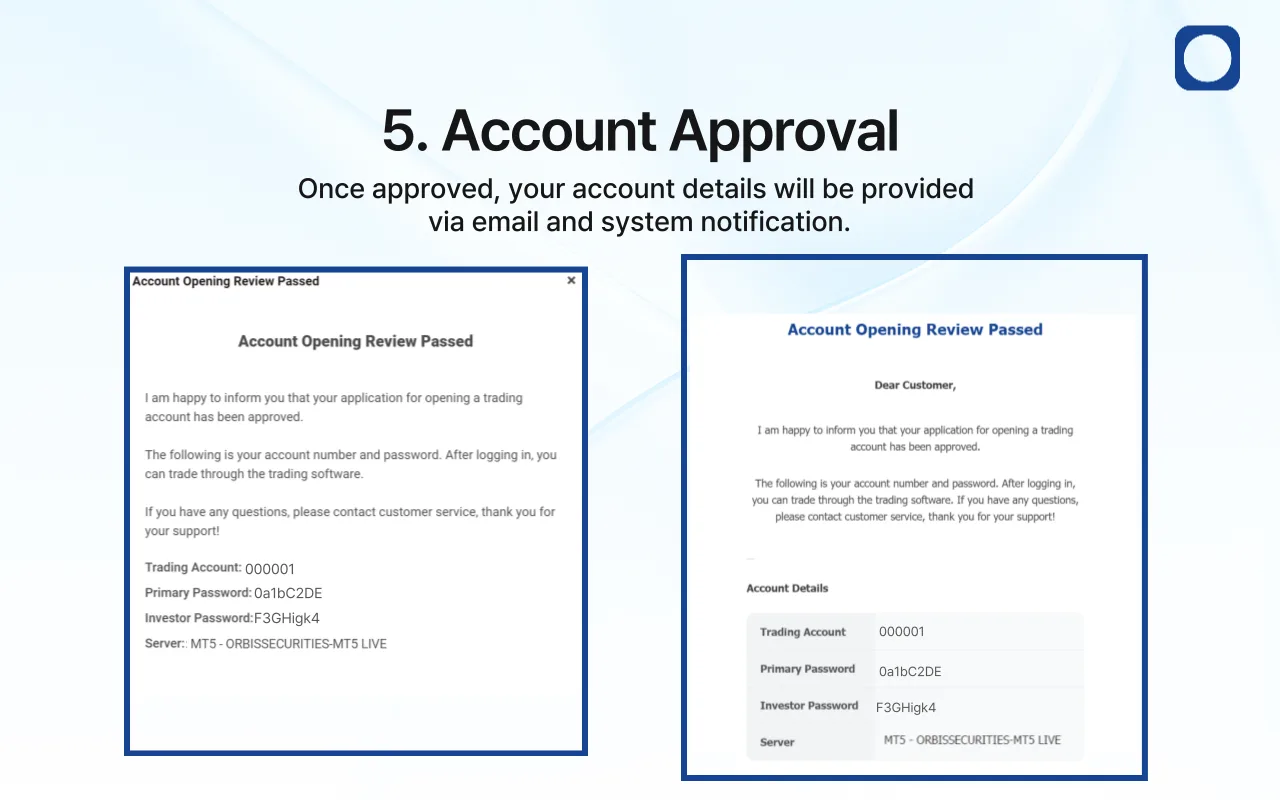
5. Account Approval Notification
Once your account request has been approved, an approval notification will be sent via both a pop-up message and email.
The notification will include the following information:
Trading Account Number
Master Password
Investor Password
Trading Server Information
You can use these credentials to log in and start trading immediately.
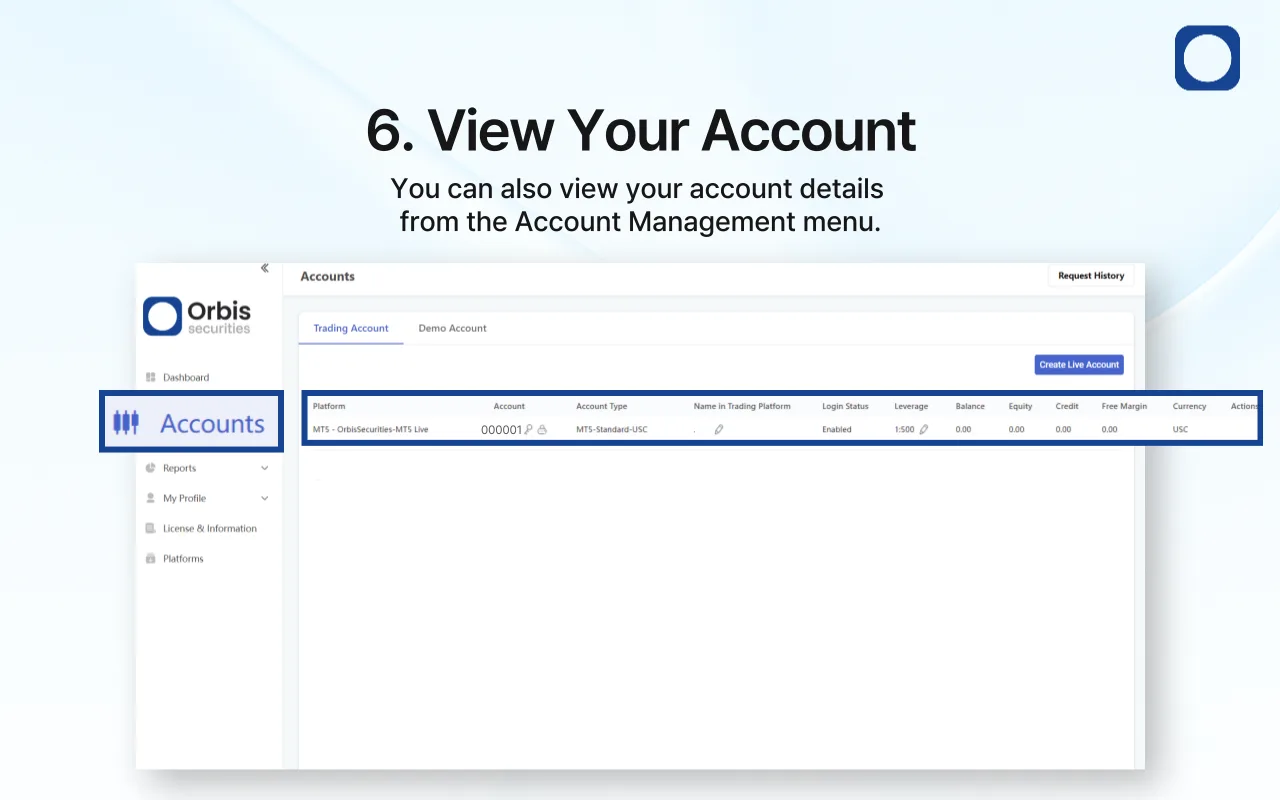
6. View Account Information
Once approved, your Cent account can be viewed from the Account Management menu.
You can review your account number, leverage, account status, and balance information, and begin trading after funding your account.