
You can create an Orbis Securities account by entering your basic information and verifying your email address. Please follow the steps below in order.
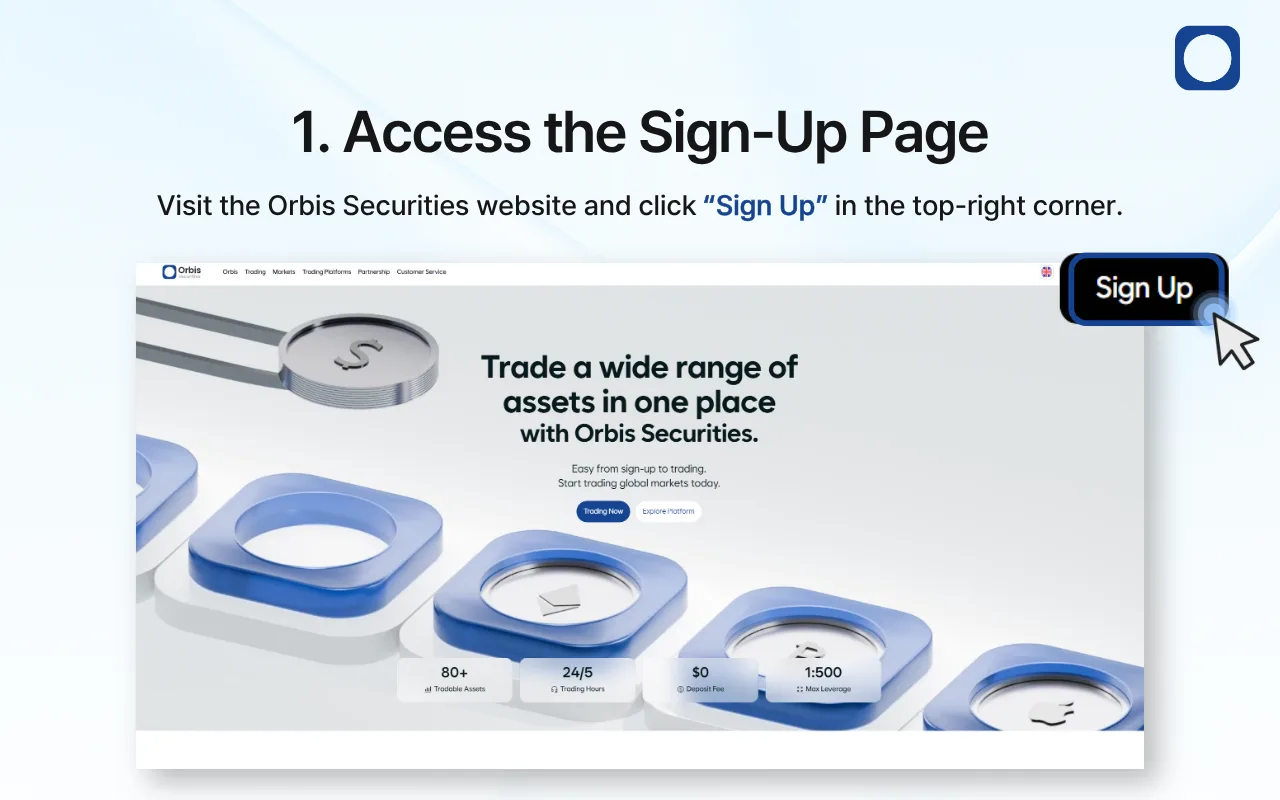
1. Access the Sign-Up Page
Visit the official Orbis Securities website and click “Sign Up” in the top-right corner of the page.
You will then be directed to the Individual Account Registration page.
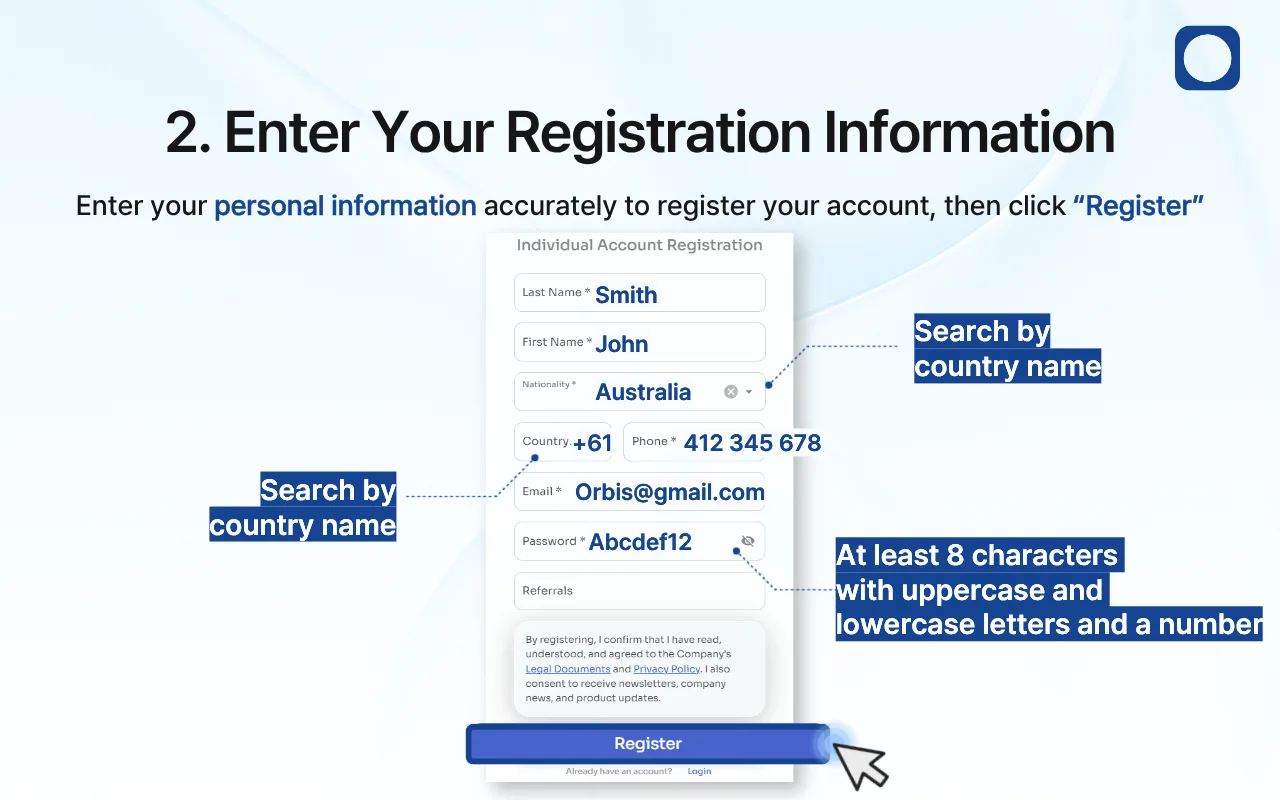
2. Enter Your Registration Information
Enter the following information accurately to register your account:
Last Name
First Name
Nationality
Country Calling Code
Mobile Phone Number
Email Address
Password
Referral Code (optional)
You can find your nationality and country calling code by searching for your country name.
When you select your nationality, the corresponding country calling code may be entered automatically. Please check that the code is correct before continuing.
Your password must
Contain at least 8 characters
Include at least one uppercase letter
Include at least one lowercase letter
Include at least one number
Make sure that your email address and mobile phone number are correct, as they may be used for account verification, security notifications, and other important communications.
After completing all required fields, review the Legal Documents and Privacy Policy.
Once you have confirmed and agreed to the applicable terms, click “Register.”
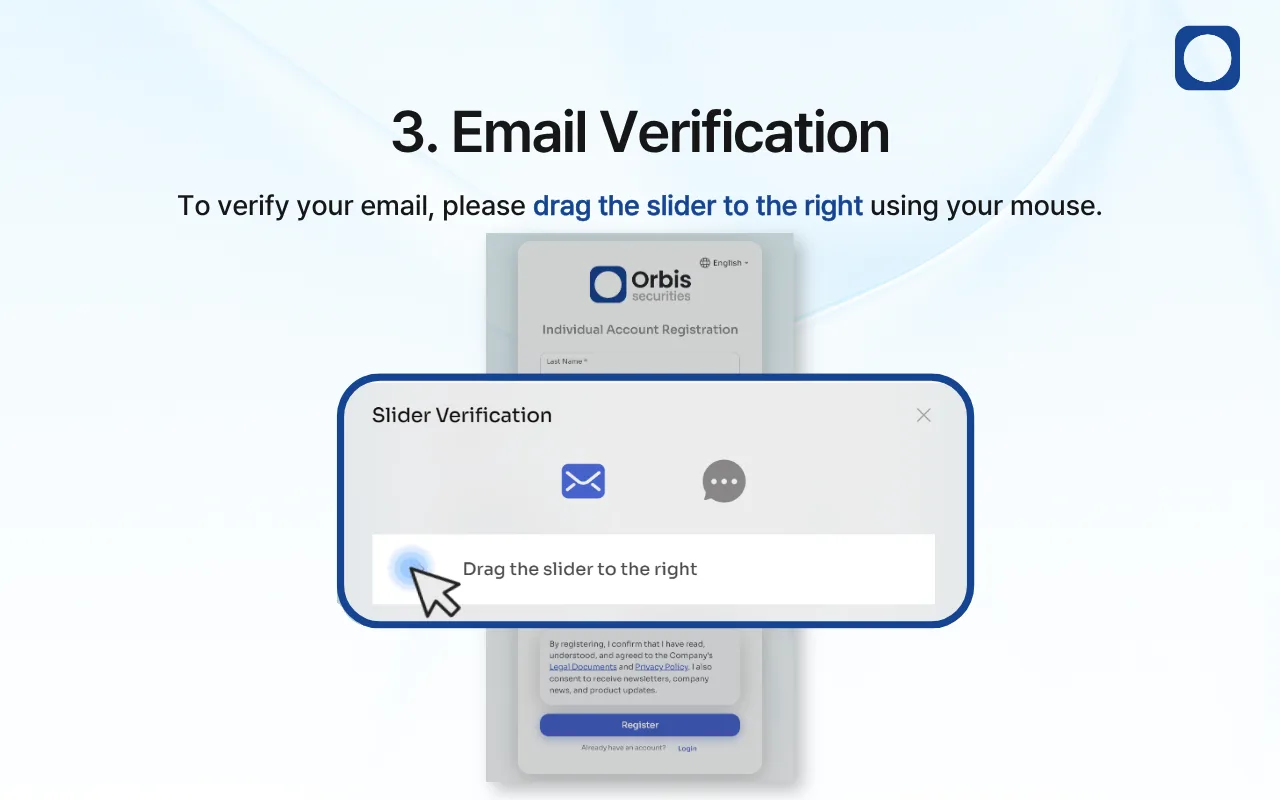
3. Complete the Slider Verification
A security verification window will appear before email verification begins.
Click and hold the slider with your mouse, drag it all the way to the right, and then release it.
This step confirms that the registration request is being made by a real person.
If the verification is unsuccessful, try again and make sure you drag the slider completely to the right.
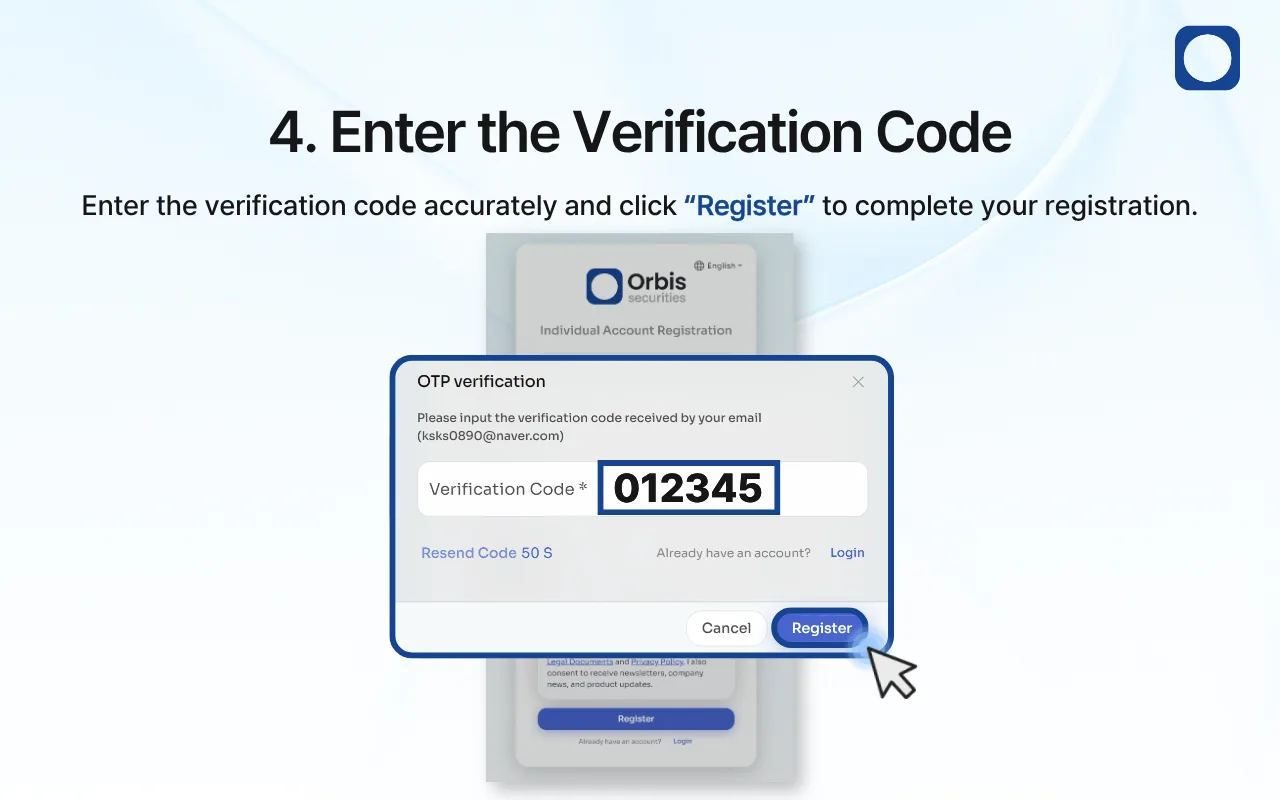
4. Enter the Verification Code
After completing the slider verification, a verification code will be sent to the email address you entered during registration.
Open your email inbox and find the verification email from Orbis Securities. Enter the code accurately in the “Verification Code” field, and then click “Register” to complete your registration.
If you cannot find the email, check your spam or junk folder. Delivery may take a few minutes.
If the code has expired or you did not receive the email, click “Resend Code” to request a new verification code. When a new code is issued, enter the most recently received code.
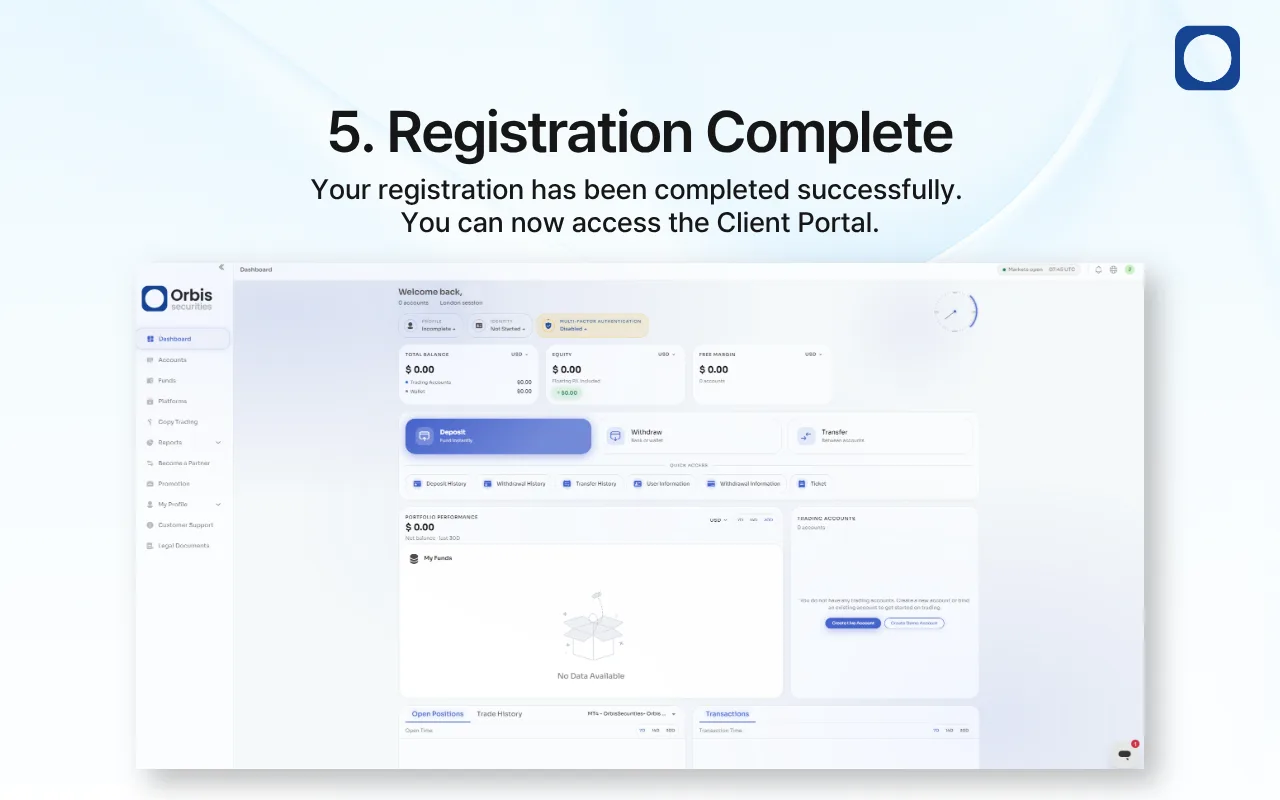
5. Registration Complete
Once your email has been successfully verified, your registration will be completed, and you will be able to access the Client Portal.
After signing in, complete the required Know Your Customer (KYC) identity verification process.
Once your identity verification has been approved, you can use Orbis Securities services, including opening a trading account, depositing funds, and accessing the available trading platforms.