
You can open a live trading account after completing your profile and identity verification.
Follow the steps below to submit your request and view your account details.
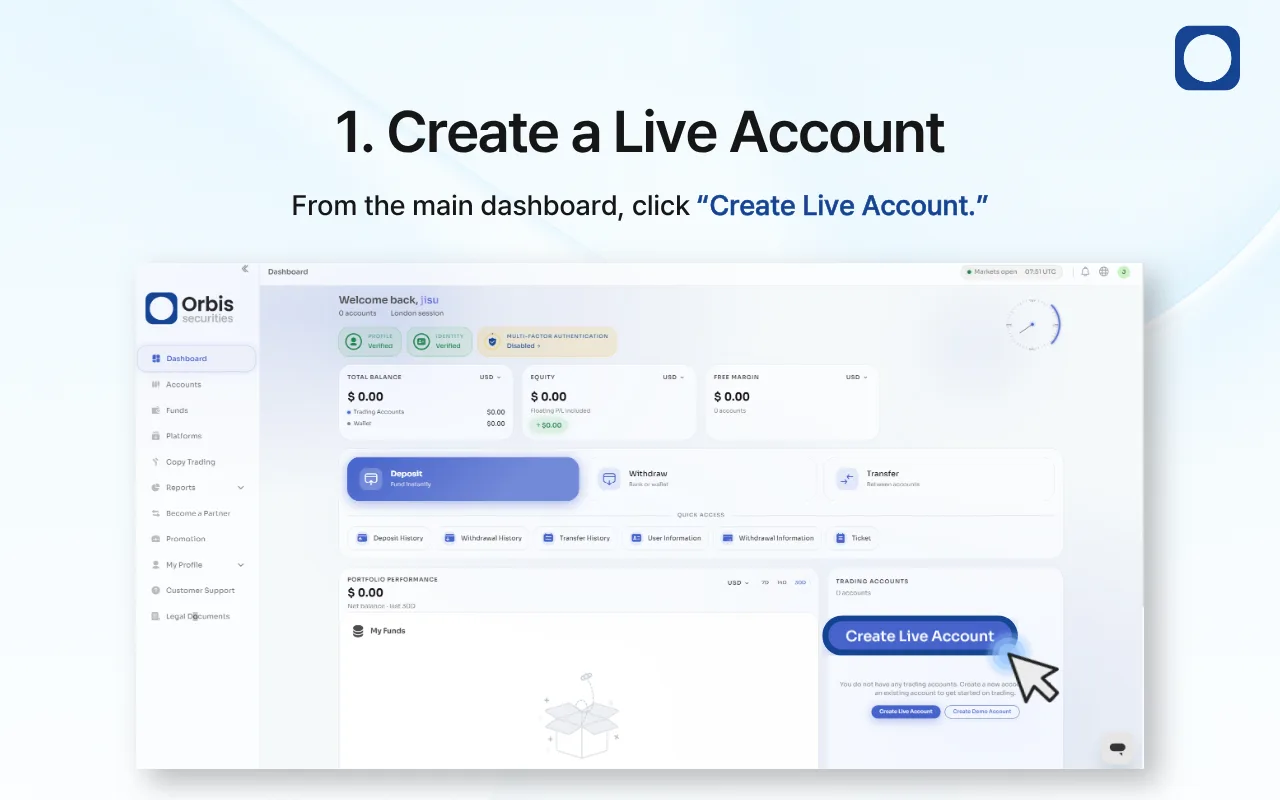
1. Create a Live Account
Sign in to the Orbis Securities Client Portal. From the main dashboard, click “Create Live Account.”
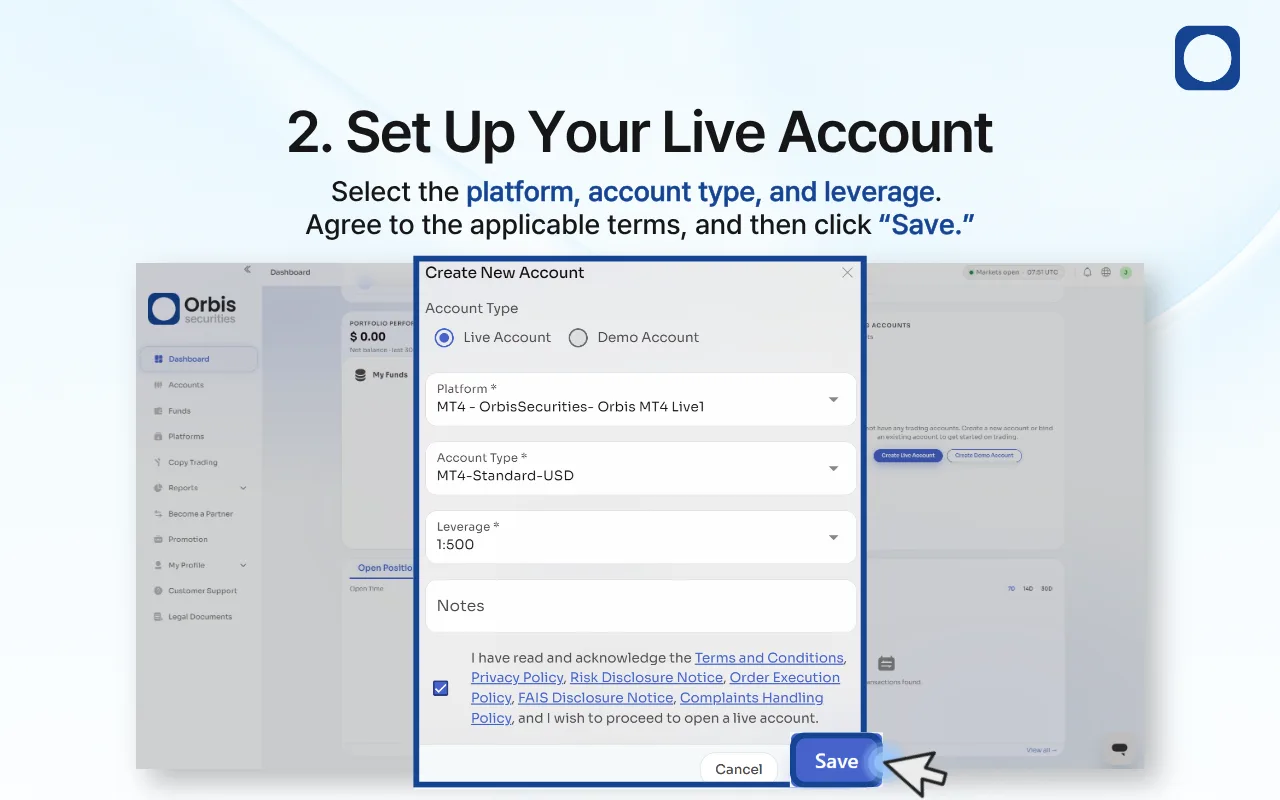
2. Set Up Your Live Account
Select “Live Account,” and choose your preferred platform, account type, and leverage.
You may also add notes if necessary.
Review and agree to the applicable terms and policies, and then click “Save” to submit your account-opening request.
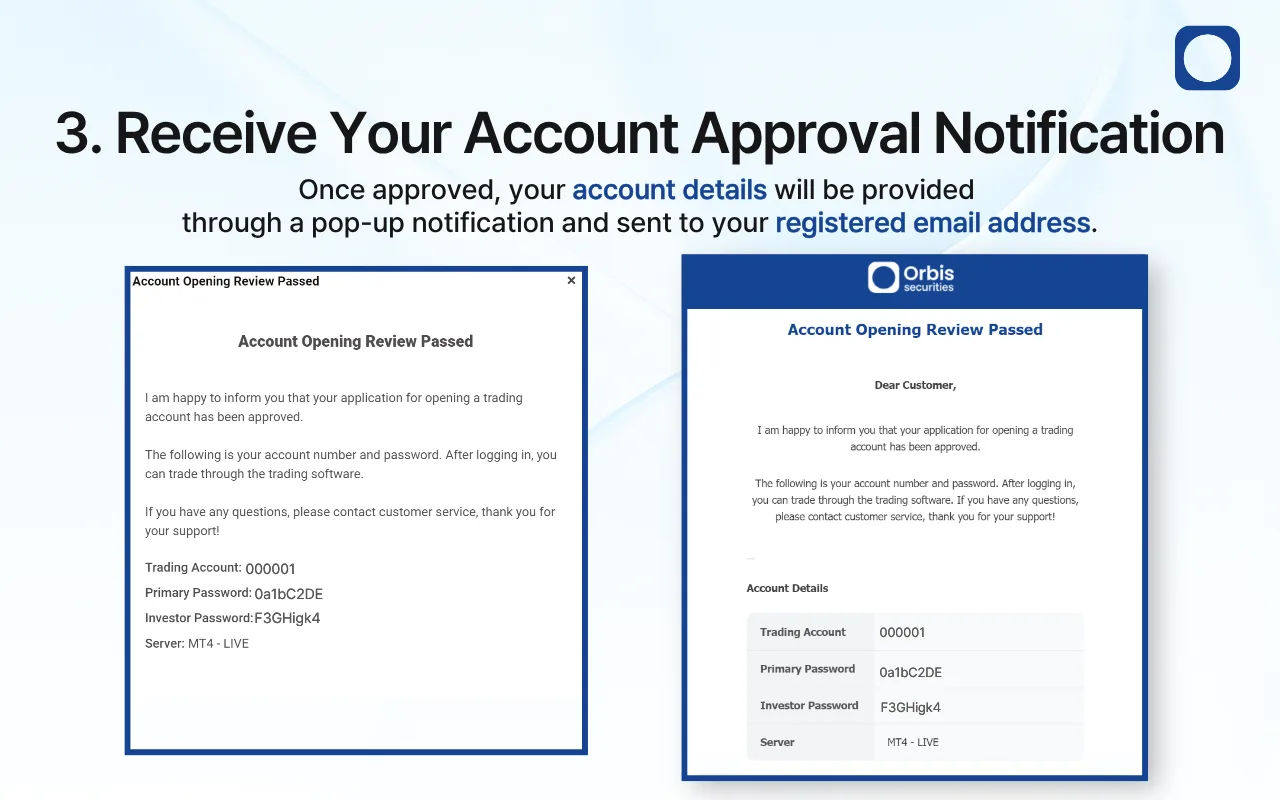
3. Receive Your Account Approval Notification
Once your request has been approved, your trading account details will appear in a pop-up notification and be sent to your registered email address.
The notification includes your trading account number, primary password, investor password, and server information.
Important: Keep your account credentials secure. Do not share your primary password with anyone.
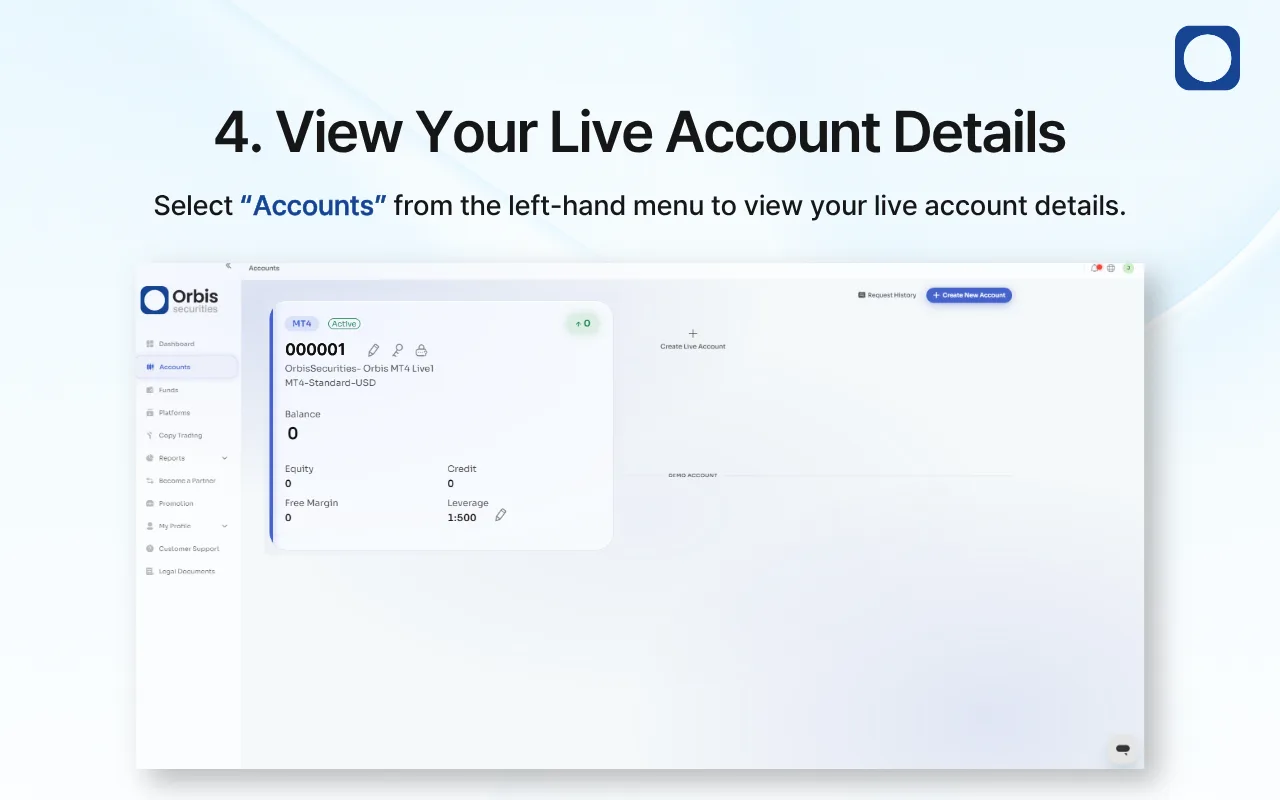
4. View Your Live Account Details
Select “Accounts” from the left-hand menu to view your live account.
You can check your account number, platform, account type, account status, balance, equity, credit, free margin, and leverage on this page.