
You can change your live trading account password directly through the Orbis Securities Client Portal.
If you know your current password, follow the steps below to set a new one. For demo accounts, only a password reset is available, and a randomly generated password will be sent to you by email.
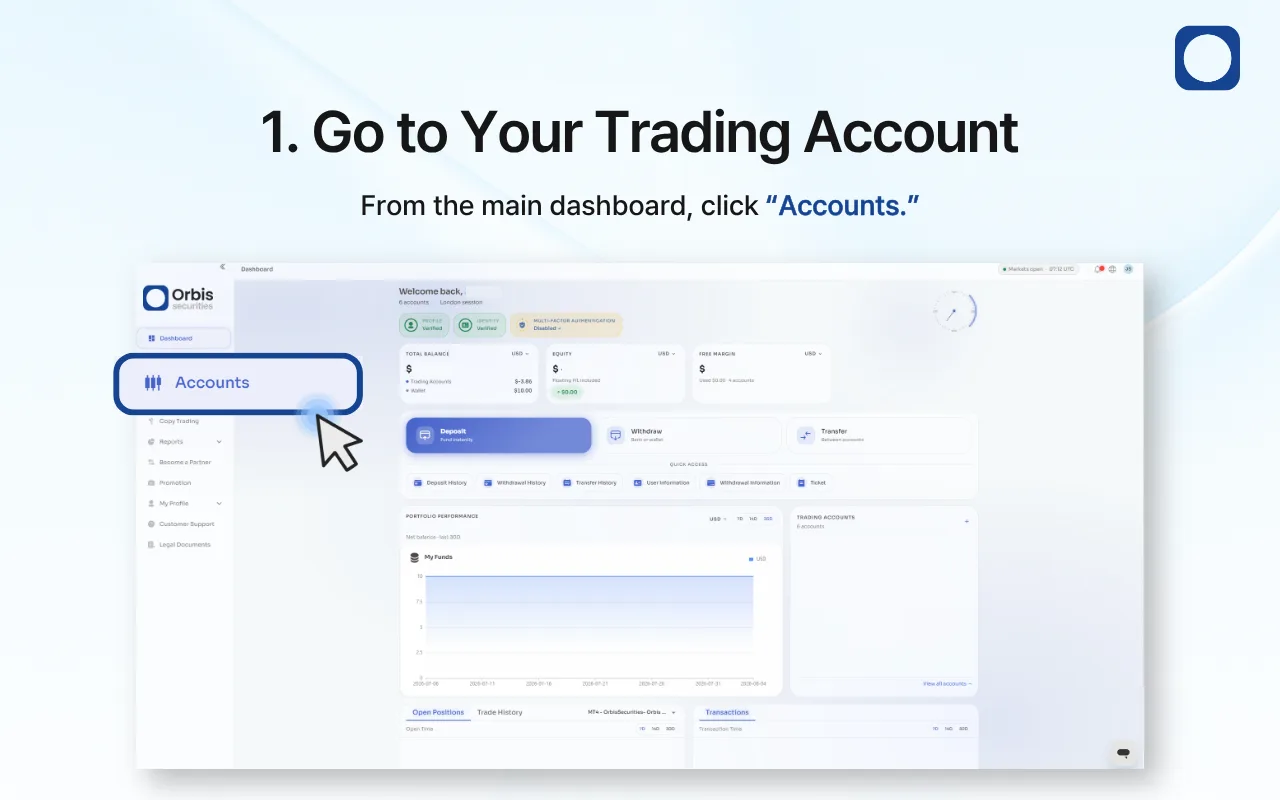
1. Go to Your Trading Account
Log in to the Orbis Securities Client Portal and click “Accounts” from the left-hand menu.
You can view and manage your trading accounts from the Accounts page.
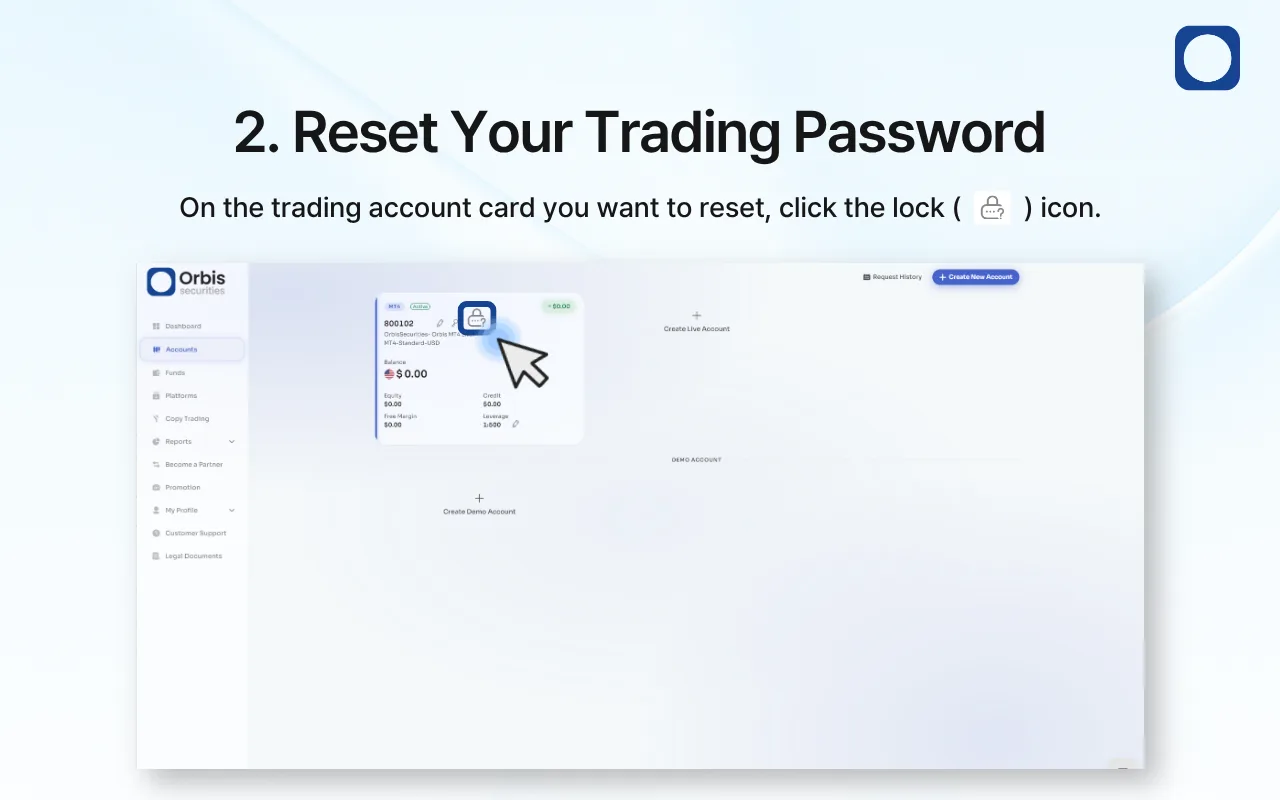
2. Change Your Trading Password
Find the trading account whose password you want to change, then click the key icon on the account card.
The password change window for the selected trading account will appear.
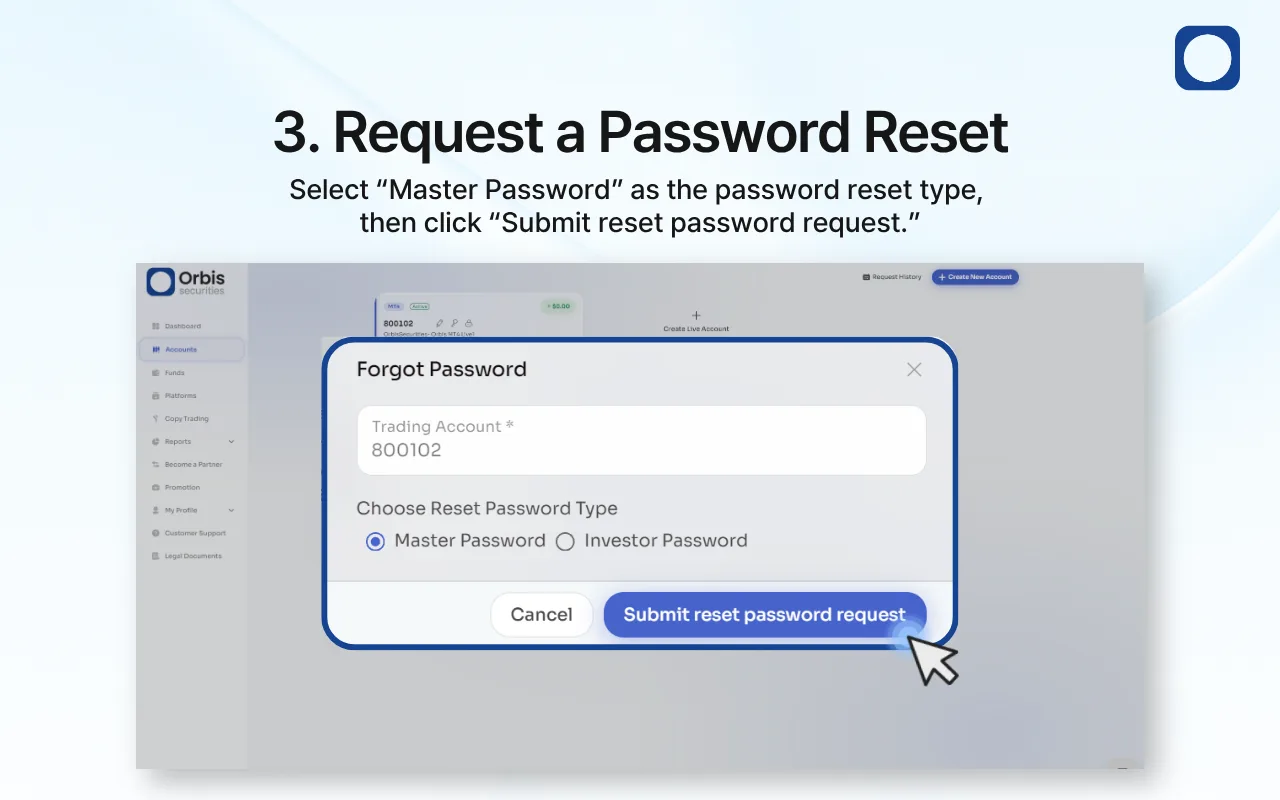
3. Set a New Password
Select “Master Password” as the password type.
Enter your current password in the “Old Password” field, then enter your new password in the “New Password” field.
Enter the new password again in “Confirm Password”, then click “Save” to complete the change.
Important Information
You must know your current password to change your trading account password.
Make sure the New Password and Confirm Password entries match.
For security reasons, do not share your trading account password with anyone.
If you have forgotten your current password, please use the password reset option instead.