
If you have forgotten your trading account password, you can request a password reset through the Orbis Securities Client Portal.
Follow the steps below to reset your trading account password.
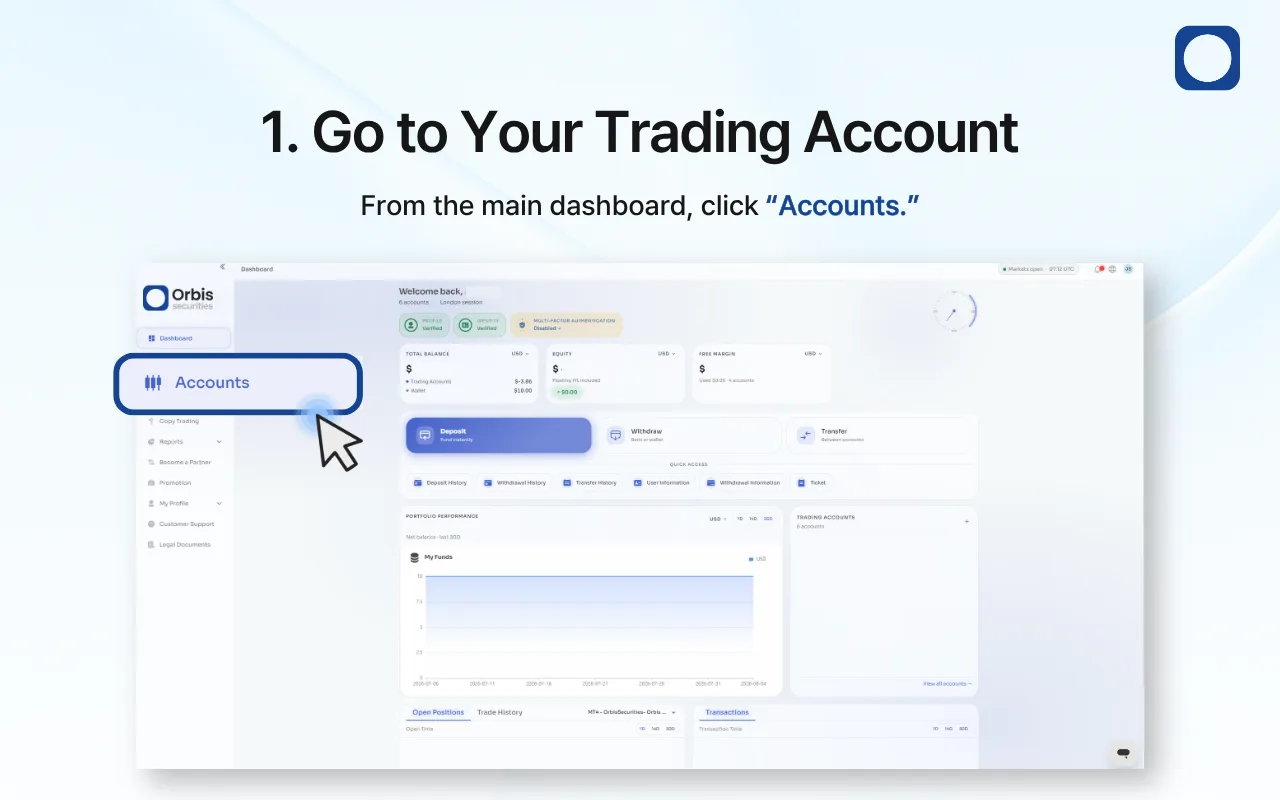
1. Go to Your Trading Account
Log in to the Orbis Securities Client Portal and click “Accounts” from the left-hand menu.
You can view and manage your trading accounts from the Accounts page.
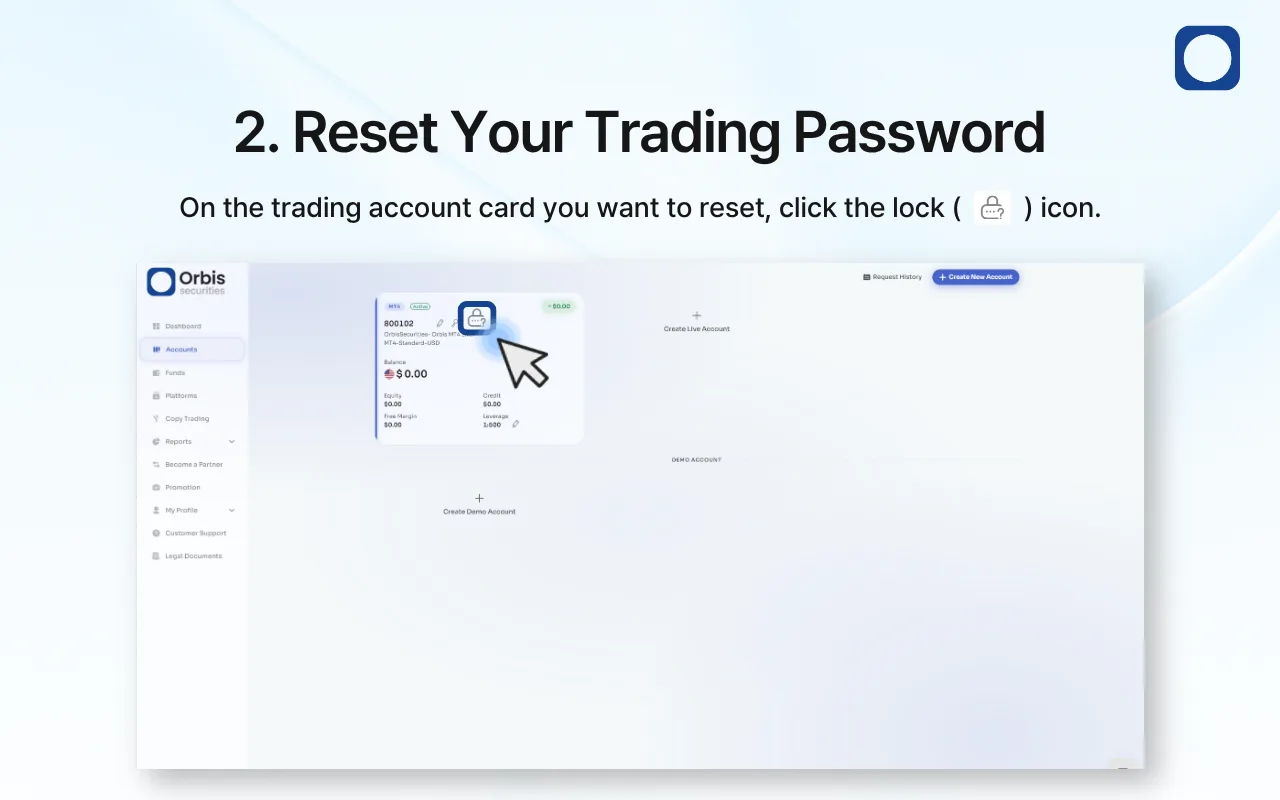
2. Reset Your Trading Password
Find the trading account you want to reset the password for, then click the lock icon on the account card.
This will open the password reset window for the selected trading account.
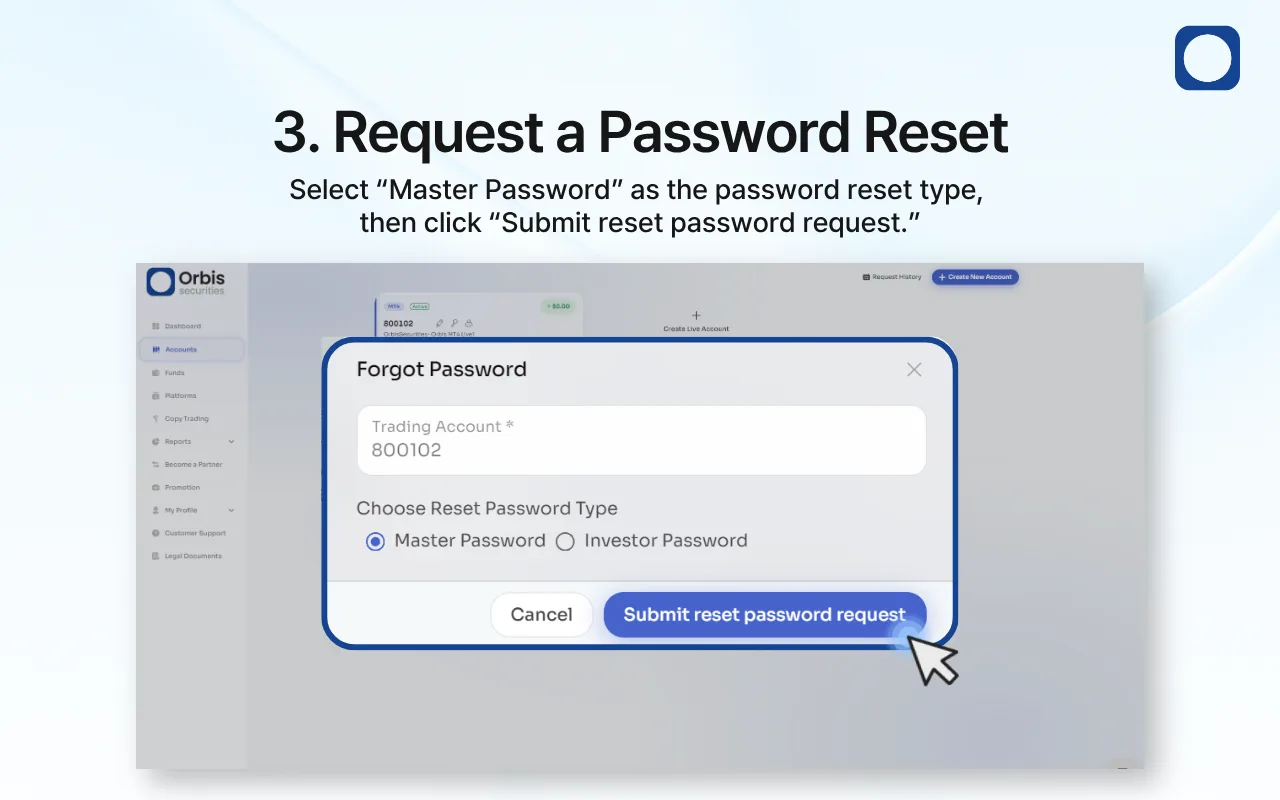
3. Request a Password Reset
Select “Master Password” as the password reset type.
After confirming the trading account number, click “Submit reset password request” to proceed.
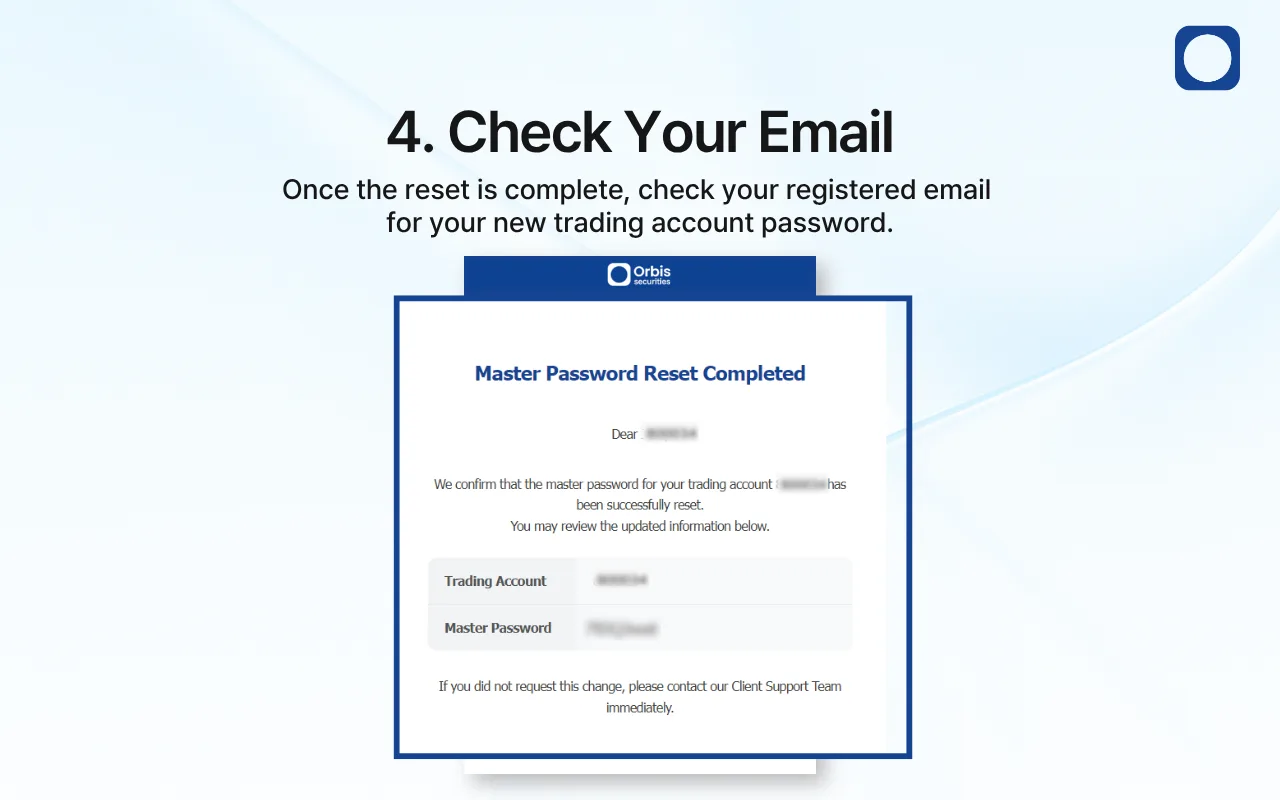
4. Check Your Email
Once the password reset is complete, a confirmation email will be sent to your registered email address.
Open the email and check your new Master Password. You can use the new password to log in to your trading account.
Important Information
Make sure you select the correct trading account before submitting a password reset request.
Your new password will be sent to your registered email address.
For security reasons, do not share your trading account password with anyone.
If you did not request a password reset, please contact Orbis Securities Customer Support immediately.