
You can withdraw available funds from your Orbis Securities Wallet to an external cryptocurrency wallet. Follow the steps below to enter the receiving wallet details, submit your request, and monitor its status.
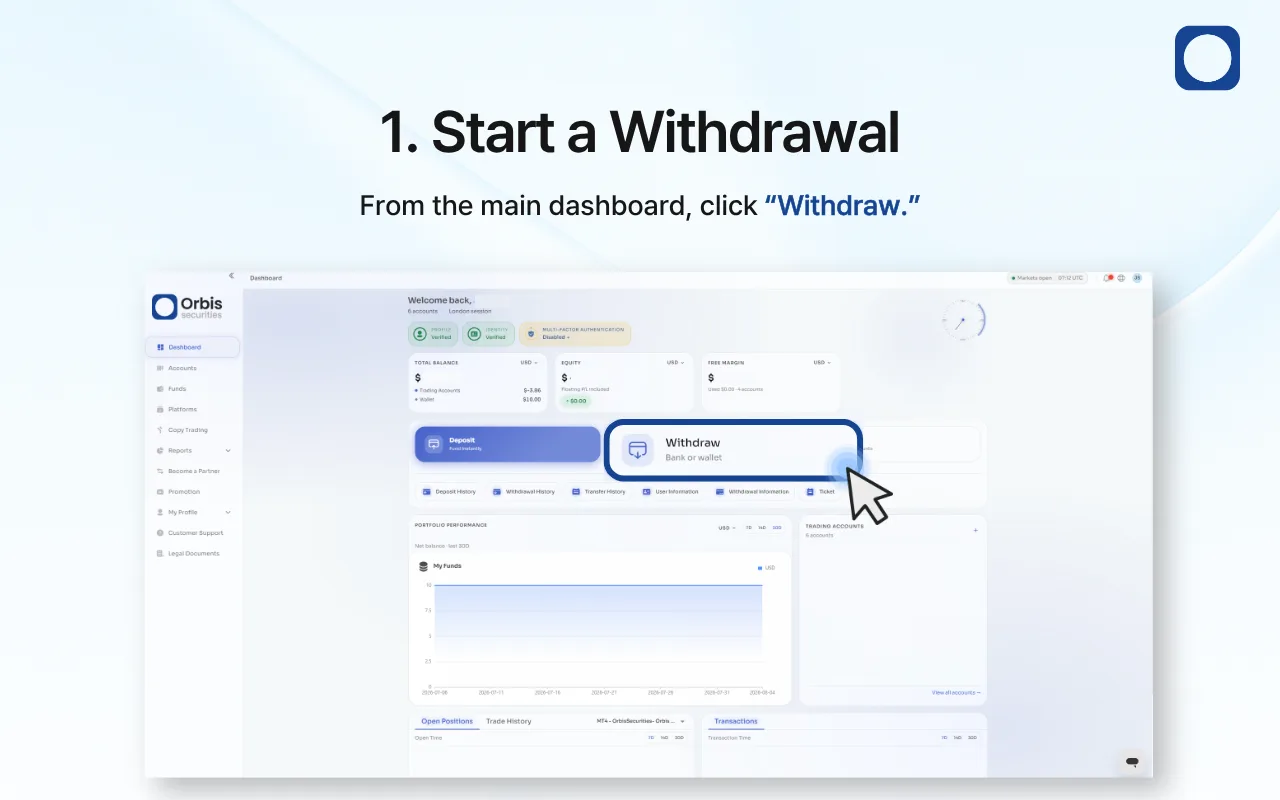
1. Start a Withdrawal
Sign in to the Orbis Securities Client Portal and go to the main dashboard.
Click “Withdraw” to open the available withdrawal methods.
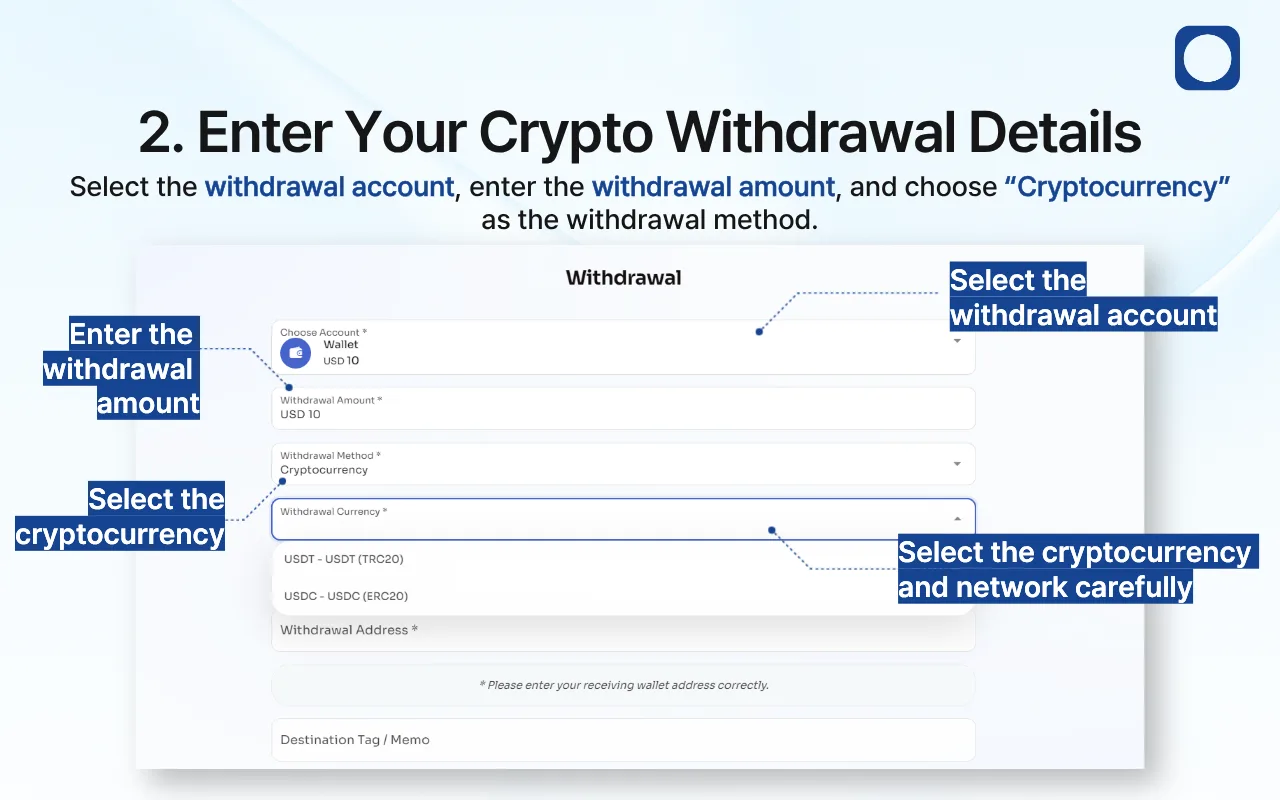
2. Enter Your Crypto Withdrawal Details
Complete the withdrawal form as follows:
Withdrawal Account: Select the Orbis Securities Wallet from which you want to withdraw.
Withdrawal Amount: Enter the amount you wish to withdraw.
Withdrawal Method: Select “Cryptocurrency.”
Withdrawal Currency: Select the cryptocurrency and network you wish to use.
The selected network must be supported by the receiving wallet. For example, USDT (TRC20) and USDC (ERC20) use different networks and are not interchangeable.
Review the withdrawal amount and available balance before continuing.
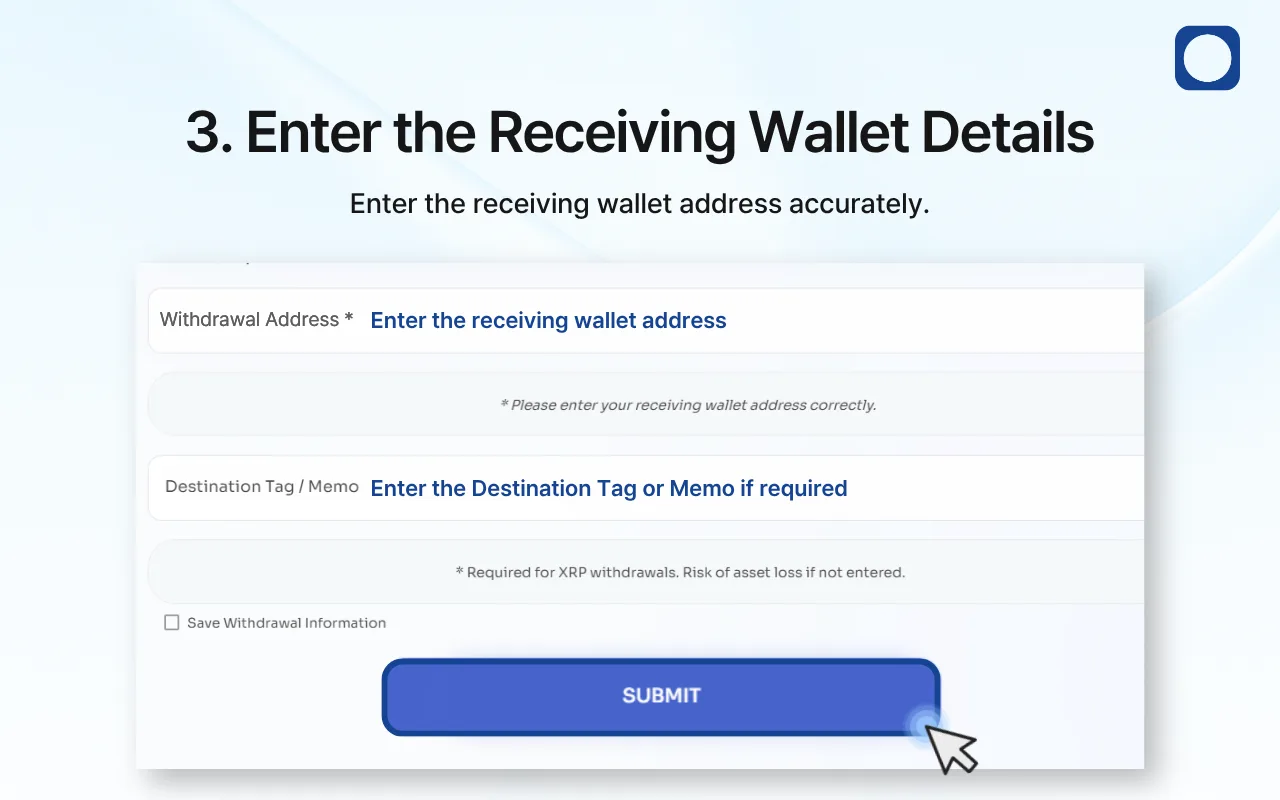
3. Enter the Receiving Wallet Details
Enter the external wallet address in the “Withdrawal Address” field. Copy and paste the address where possible, and carefully compare it with the address displayed by the receiving wallet.
If the selected cryptocurrency or receiving platform requires a Destination Tag or Memo, enter it exactly as provided.
For example, a Destination Tag or Memo is required for XRP withdrawals. Omitting or entering it incorrectly may prevent the receiving platform from crediting your funds.
If you want the Client Portal to retain the entered details for future use, select “Save Withdrawal Information.” Only save wallet details on a trusted personal device.
Review the following information before submitting:
Withdrawal account
Withdrawal amount
Cryptocurrency
Network
Receiving wallet address
Destination Tag or Memo, if required
Click “Submit” after confirming that all details are correct.
Important: Never select a network based only on the cryptocurrency name. Confirm that the network shown in Orbis Securities exactly matches the network supported by the receiving wallet.
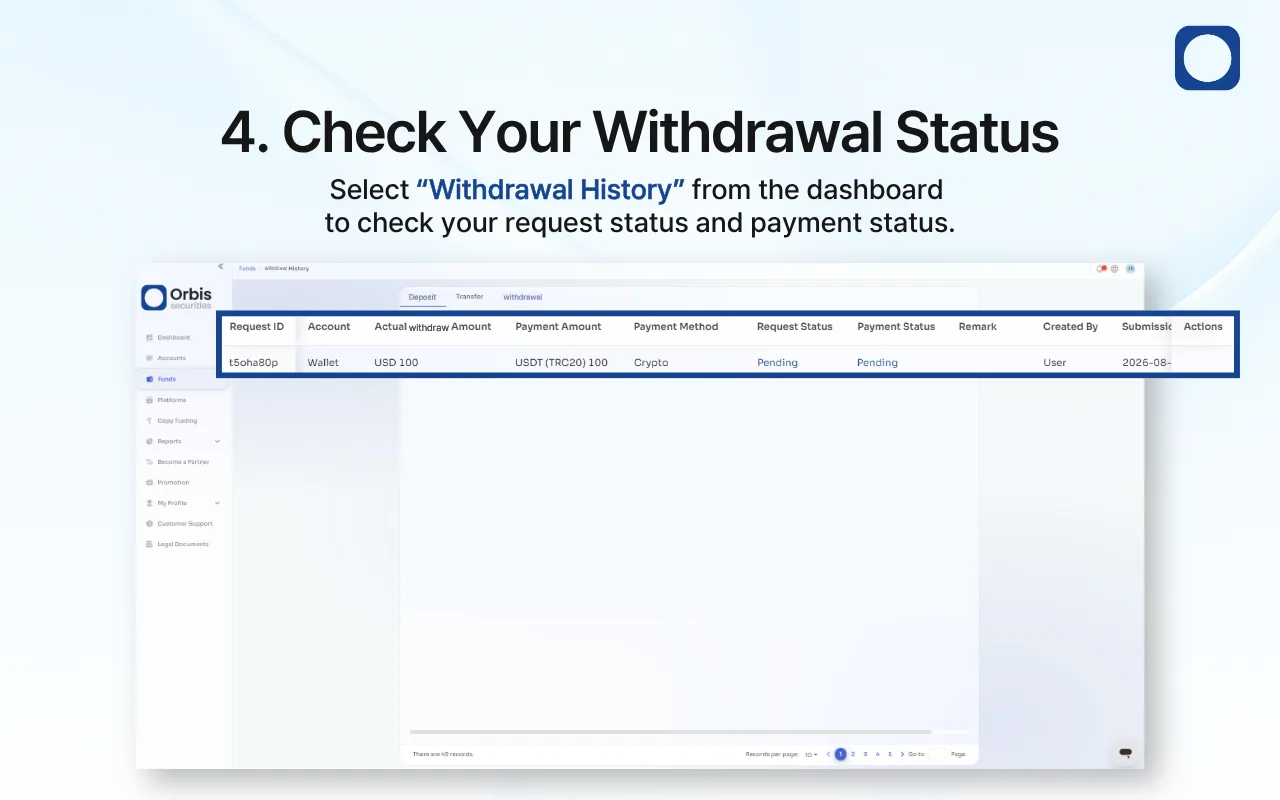
4. Check Your Withdrawal Status
After submitting the request, select “Withdrawal History” from the dashboard.
Your withdrawal may initially appear as “Pending” while it is being reviewed or processed.
The Request Status and Payment Status may update separately. Approval of the request does not necessarily mean that the cryptocurrency has already arrived in the receiving wallet.
Avoid submitting a duplicate withdrawal while the original request is pending.
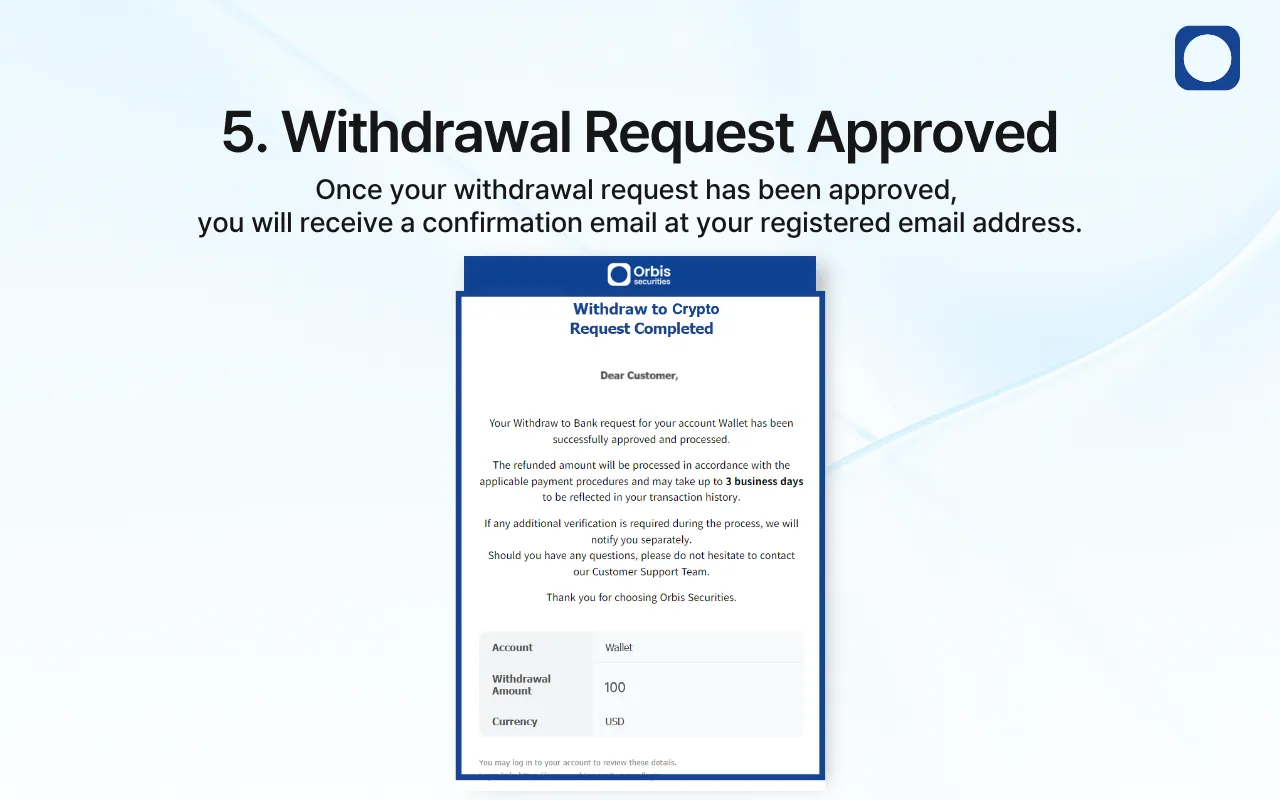
5. Withdrawal Request Approved
Once your cryptocurrency withdrawal request has been approved, a confirmation email will be sent to your registered email address.
You can continue monitoring the request under “Withdrawal History.” After the transfer is sent, the time required for the funds to appear may vary depending on the selected network and the receiving platform’s confirmation requirements.
If additional verification is required, Orbis Securities may contact you separately. Follow the instructions provided through an official channel.