
You can withdraw available funds from your Orbis Securities Wallet to a bank account in your name.
Follow the steps below to submit a bank withdrawal request and monitor its status.
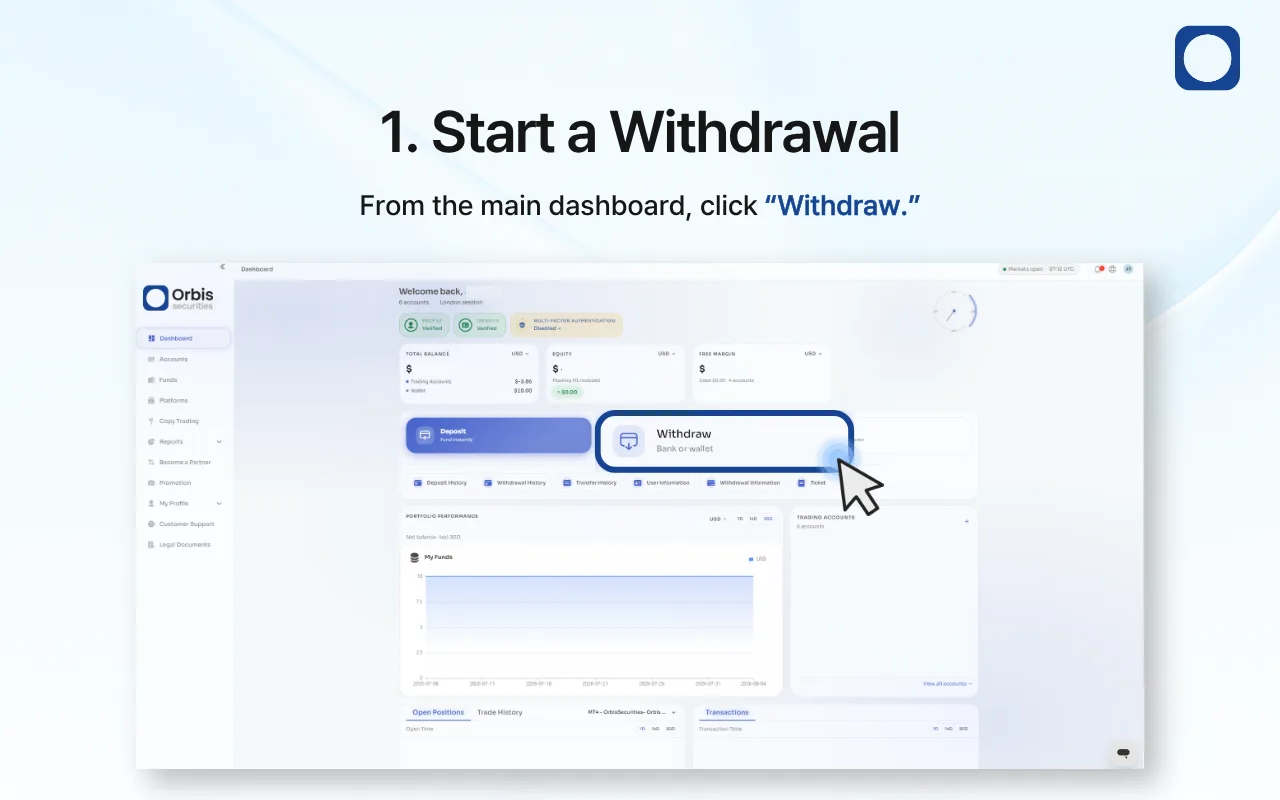
1. Start a Withdrawal
Sign in to the Orbis Securities Client Portal and go to the main dashboard.
Click “Withdraw” to open the available withdrawal methods.
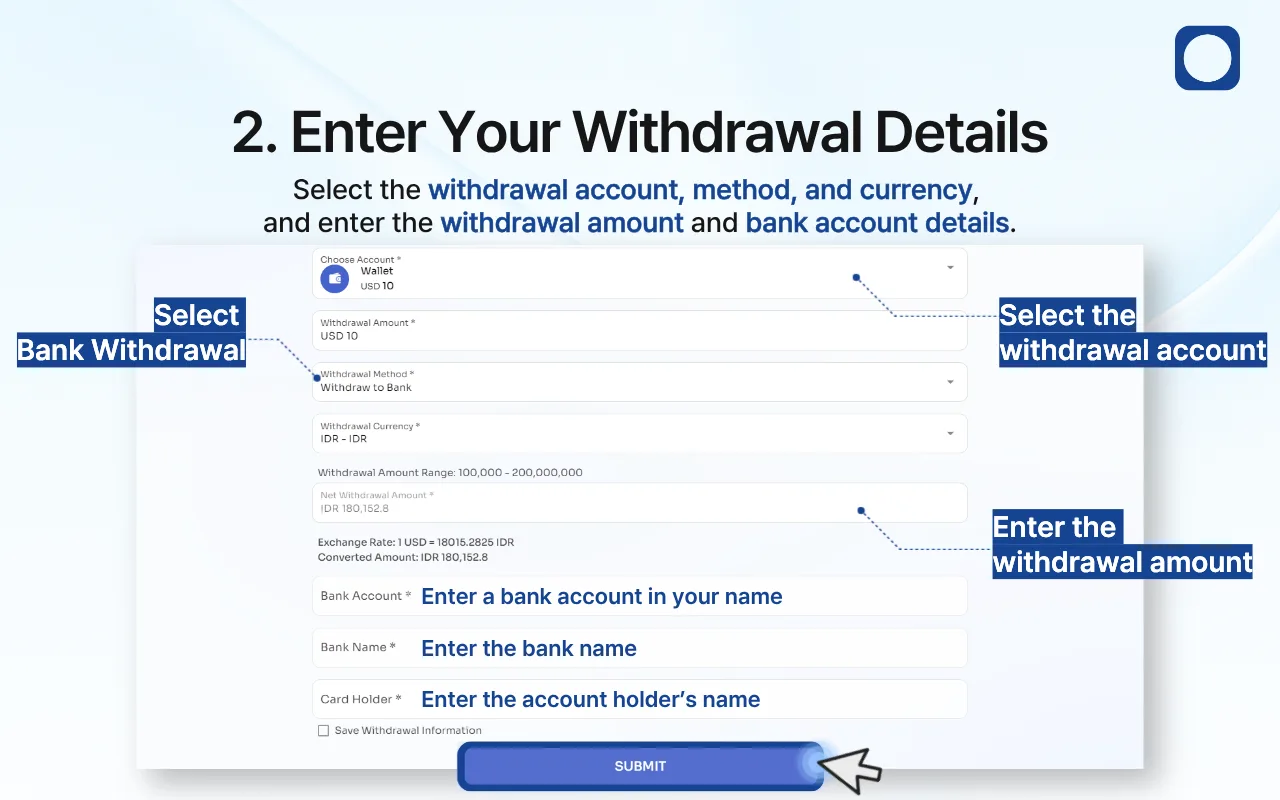
2. Enter Your Withdrawal Details
Complete the withdrawal form as follows:
Withdrawal Account: Select the Orbis Securities Wallet from which you want to withdraw.
Withdrawal Amount: Enter the amount you wish to withdraw.
Withdrawal Method: Select “Withdraw to Bank.”
Withdrawal Currency: Choose the currency in which you want to receive the funds.
Bank Account: Enter a bank account number held in your name.
Bank Name: Enter the full name of the receiving bank.
Account Holder: Enter your name exactly as registered with the bank.
Review the withdrawal limit, exchange rate, converted amount, and net withdrawal amount displayed on the page.
If you want to retain the bank details for future use, select “Save Withdrawal Information.” After confirming that all information is correct, click “Submit.”
Important: The receiving bank account must be held in your name. Incorrect or mismatched details may delay or prevent the withdrawal.
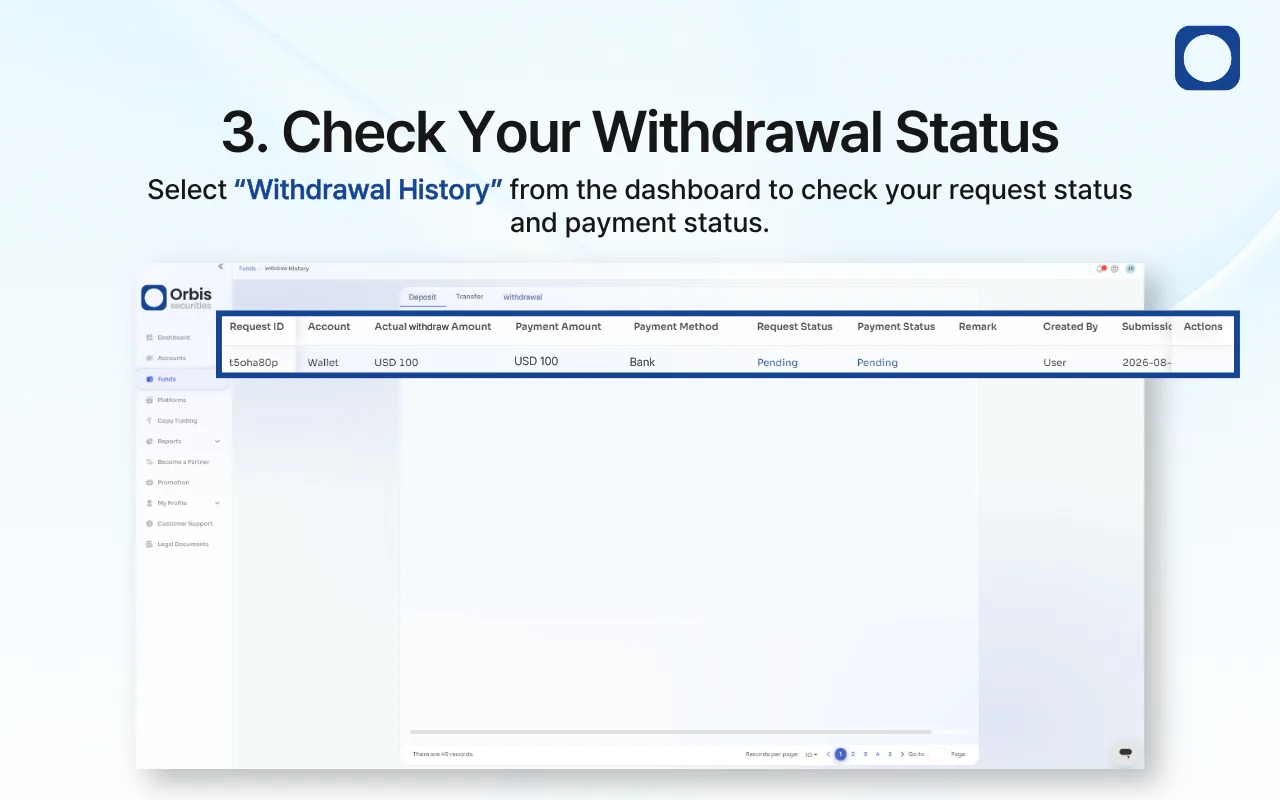
3. Check Your Withdrawal Status
After submitting the request, select “Withdrawal History” from the dashboard.
Your withdrawal may initially appear as “Pending” while the request is being reviewed or processed.
The Request Status and Payment Status may update separately. A request approval does not necessarily mean that the funds have already arrived in your bank account.
Avoid submitting a duplicate withdrawal while an existing request for the same amount is pending.
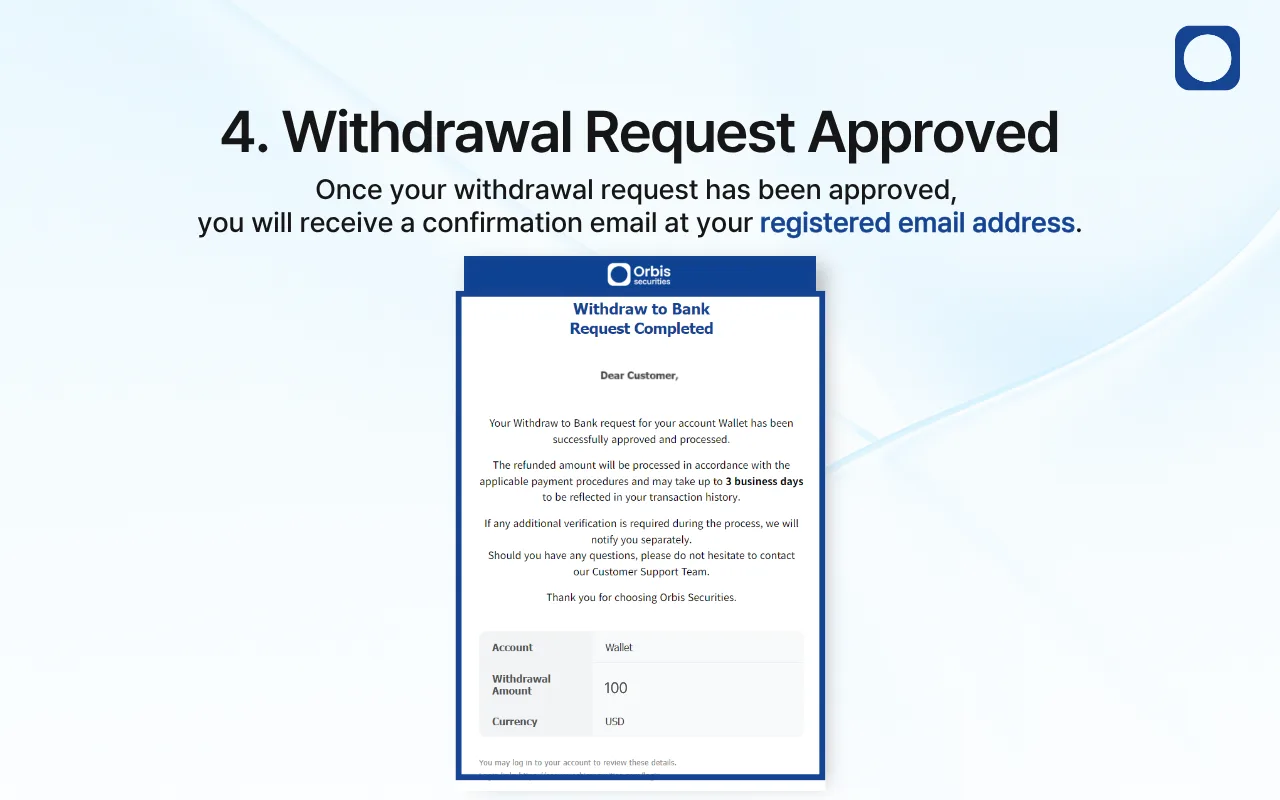
4. Withdrawal Request Approved
Once your withdrawal request has been approved, a confirmation email will be sent to your registered email address.
Approved withdrawals may take up to 3 business days to appear in your bank account. Weekends, public holidays, intermediary bank processing, additional verification, or incorrect recipient information may cause delays.
You can continue monitoring the request under “Withdrawal History.”
If additional verification is required, Orbis Securities may contact you separately. Follow the instructions provided and submit only the requested information through an official channel.