
You can apply to become an Orbis Securities Partner through the Client Portal.
Enter the required business information, review your details, and submit your application for approval.
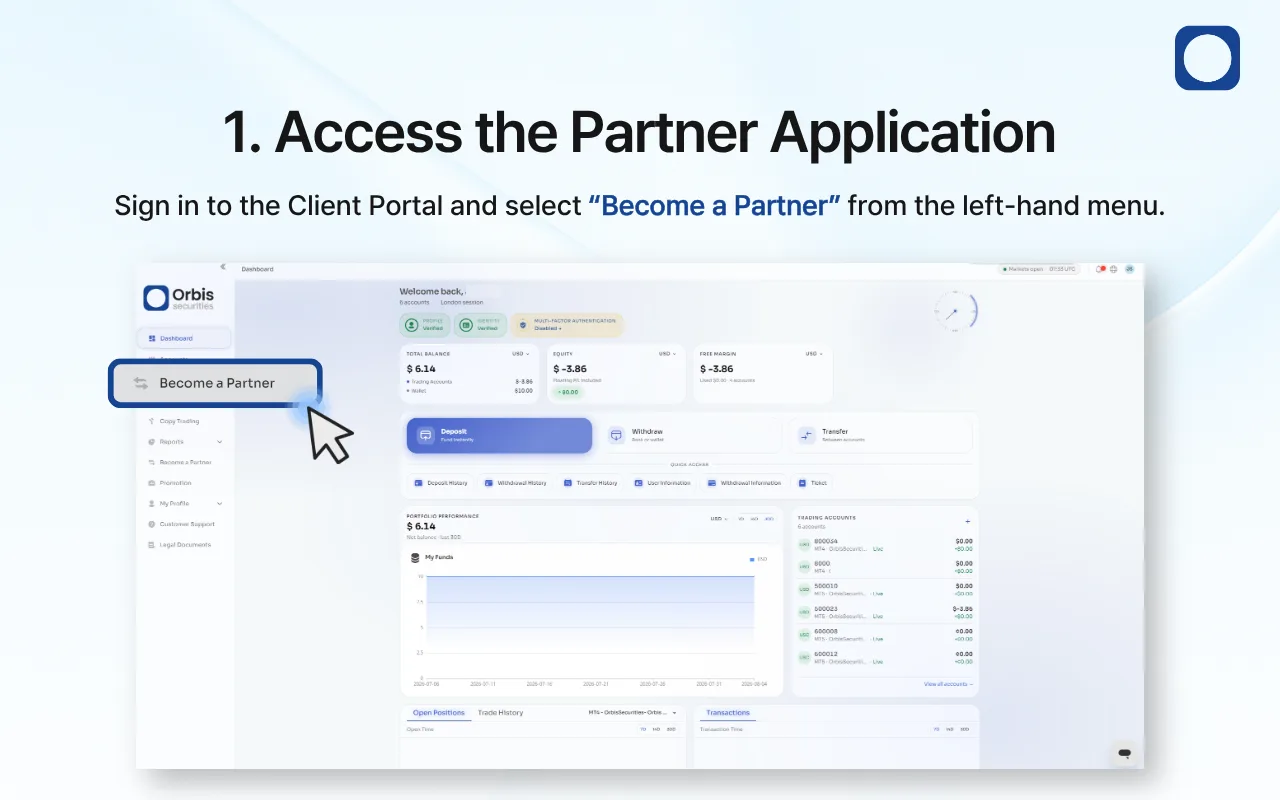
1. Access the Partner Application
Sign in to the Client Portal and select “Become a Partner” from the left-hand menu.
The partner application page will open, allowing you to enter the information required for review.
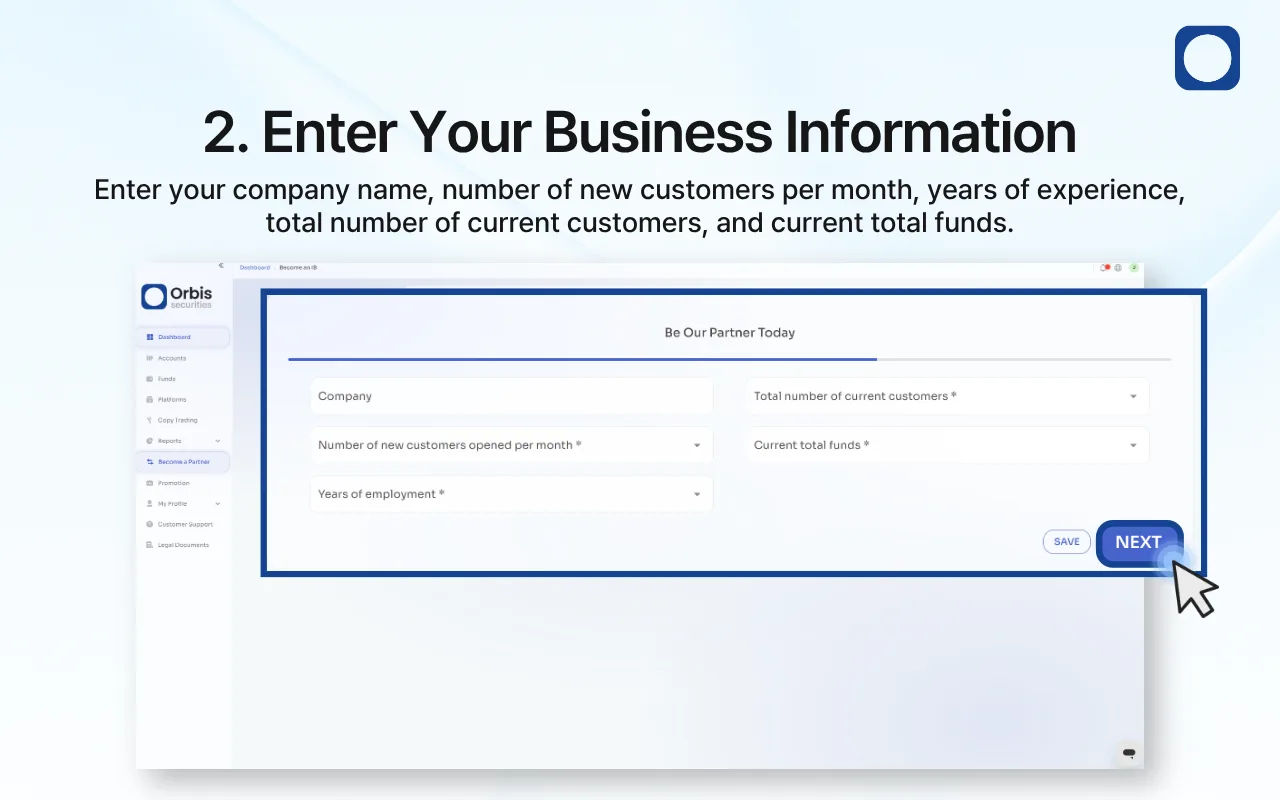
2. Enter Your Business Information
Enter or select the following information:
Company name
Number of new customers opened per month
Years of experience
Total number of current customers
Current total funds
Complete all required fields accurately, and then click “Next.”
To save your progress and continue later, click “Save.”
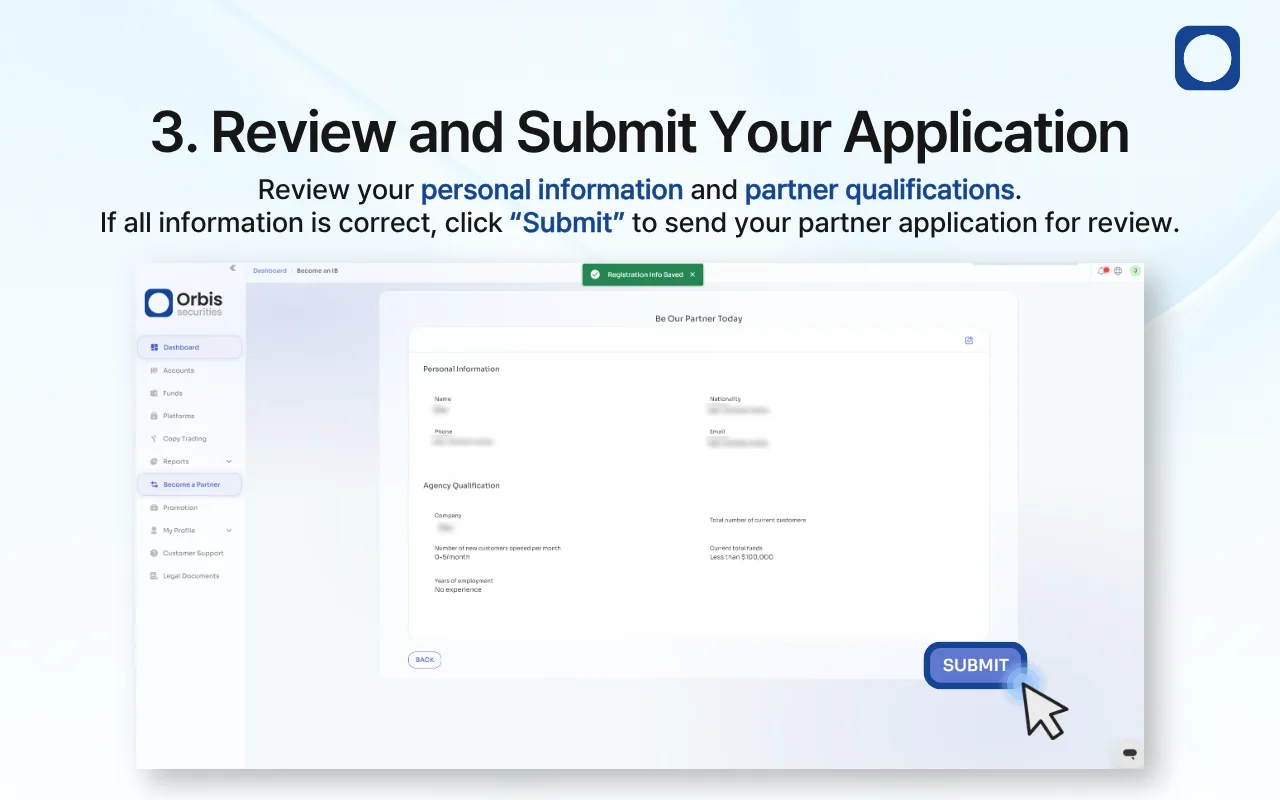
3. Review and Submit Your Application
Review your personal information and partner qualifications carefully.
If any information is incorrect, click “Back” or use the edit option to make changes. If all information is correct, click “Submit” to send your partner application for review.
Your application will be reviewed by Orbis Securities. You will be notified once the review has been completed.