
Funds previously deposited by credit or debit card can be returned through the withdrawal menu in the Orbis Securities Client Portal.
A card refund must match the full amount of a previous card deposit. Partial refunds are not supported through this method.
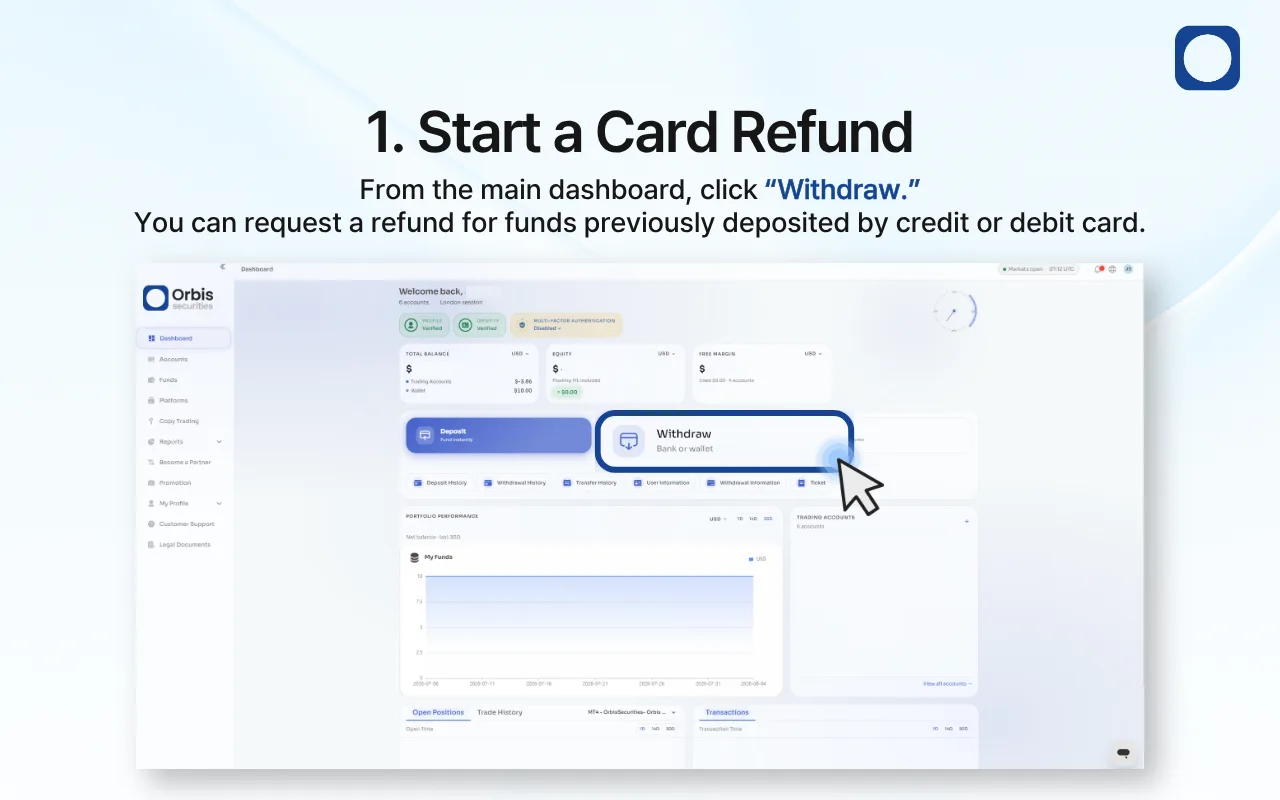
1. Start a Card Refund
Sign in to the Orbis Securities Client Portal and go to the main dashboard.
Click “Withdraw” to open the available withdrawal methods. Card deposits can be refunded by submitting a withdrawal request through this menu.
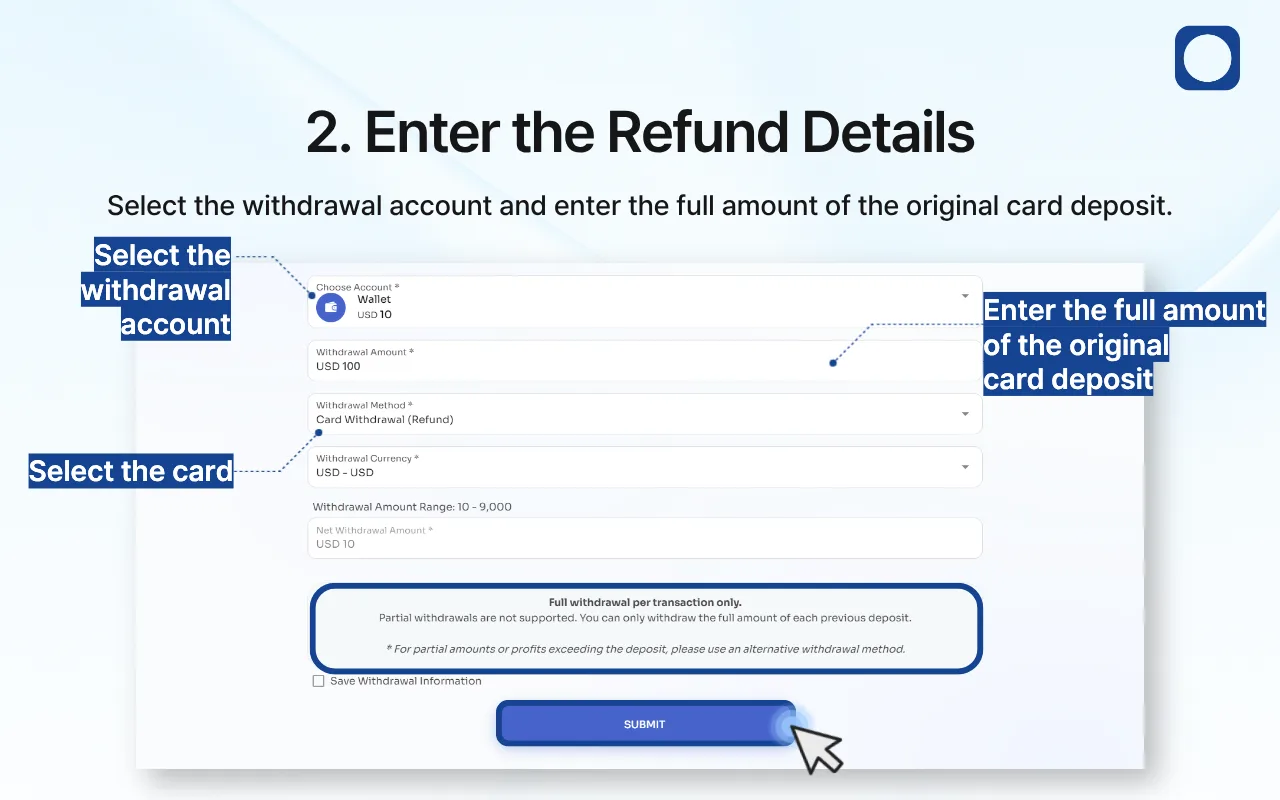
2. Enter the Refund Details
Complete the refund request as follows:
Withdrawal Account: Select the Wallet that received the original card deposit.
Withdrawal Amount: Enter the full amount of the original card deposit.
Withdrawal Method: Select “Card Withdrawal (Refund).”
Withdrawal Currency: Confirm that the displayed currency matches the original deposit currency.
Review the withdrawal amount range and net withdrawal amount displayed on the page.
Card refunds are processed as a full refund for each individual deposit transaction. If you made multiple card deposits, submit a separate request for the full amount of each transaction.
Important: Partial refunds are not supported. The amount entered must match the full amount of a previous card deposit.
If you want to retain the selected withdrawal information for future use, select “Save Withdrawal Information.” After confirming all details, click “Submit.”
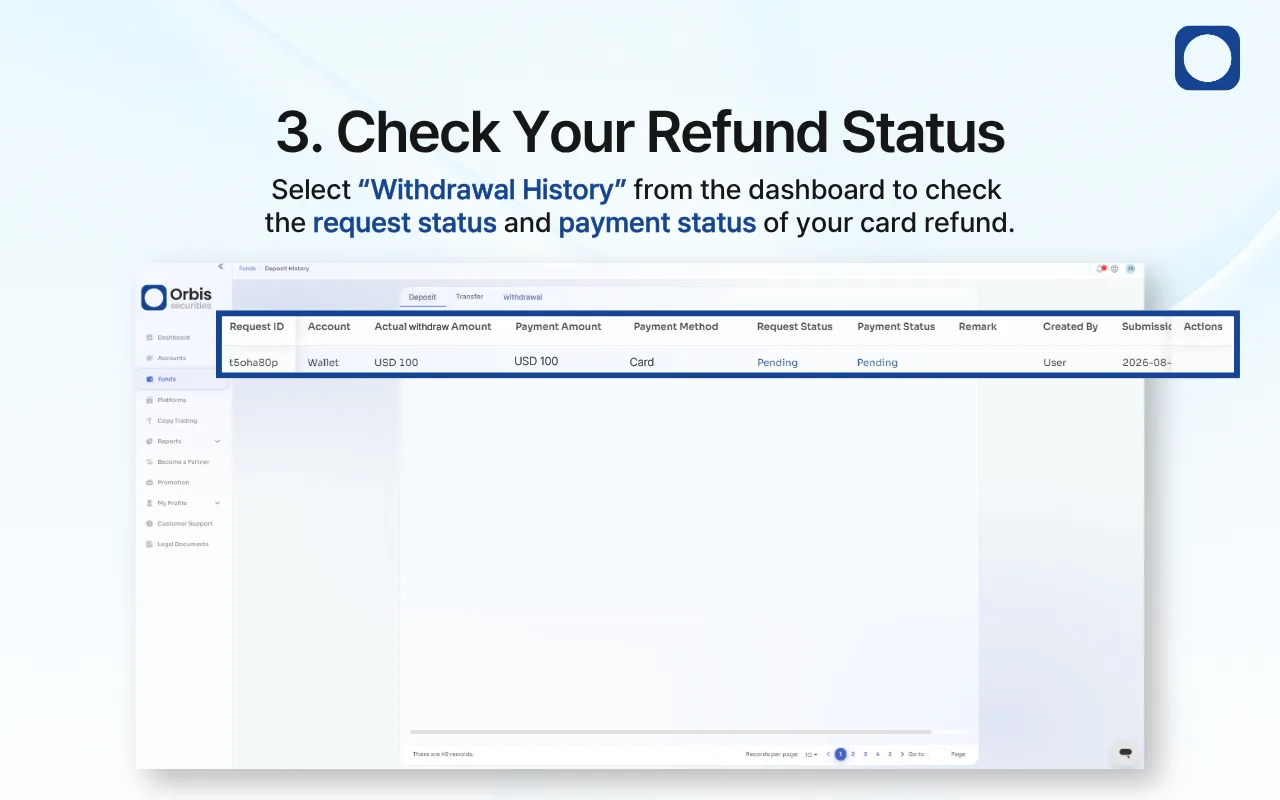
3. Check Your Refund Status
After submitting the request, select “Withdrawal History” from the dashboard.
Your card refund may initially appear as “Pending” while the request is being reviewed and processed.
Check both the Request Status and Payment Status, as they may update separately. Avoid submitting another request for the same card deposit while the original request is pending.
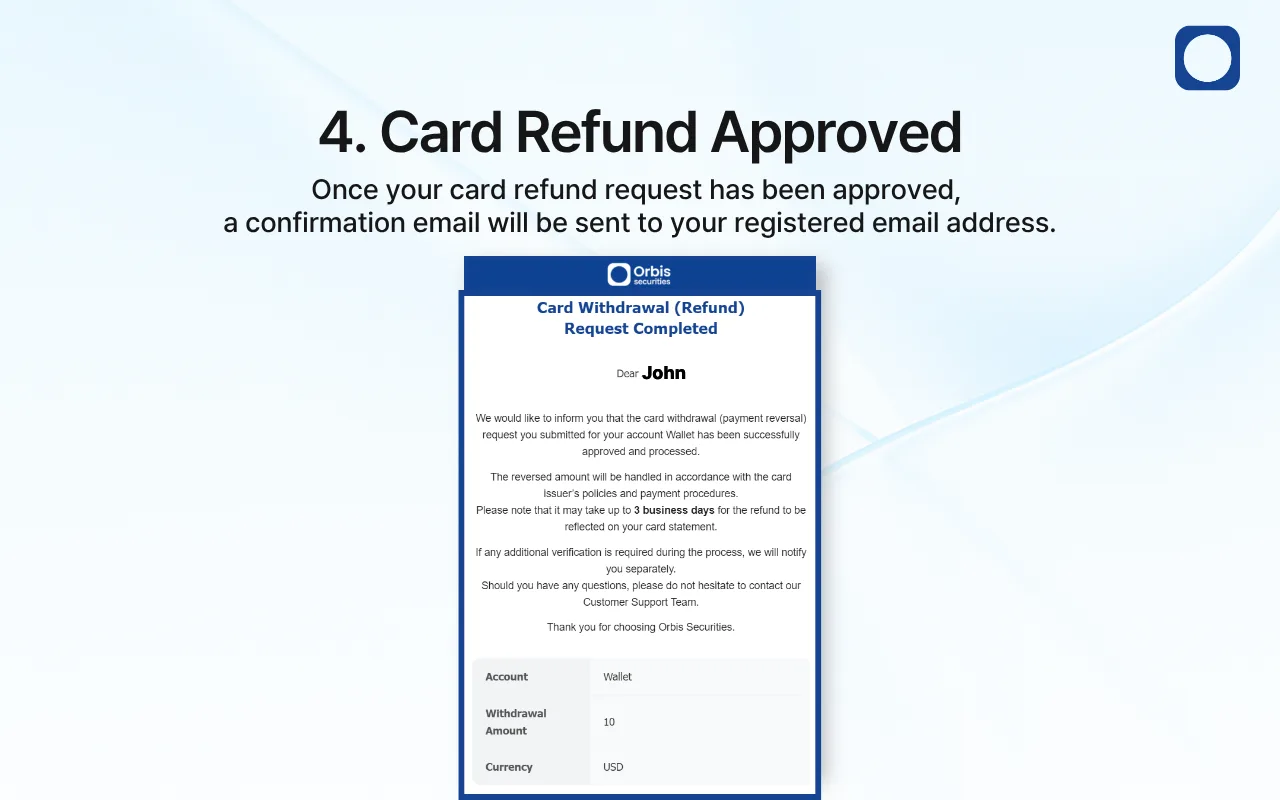
4. Card Refund Approved
Once your card refund request has been approved and processed, a confirmation email will be sent to your registered email address.
The refunded amount will be processed according to the card issuer’s policies and payment procedures. It may take up to 3 business days for the refund to appear on your card statement.
Additional verification may be required during processing. If so, Orbis Securities will contact you separately through an official channel.
You can continue checking the request under “Withdrawal History.”