

You can transfer available funds from your Orbis Securities Wallet to one of your trading accounts through the Client Portal. This is an internal transfer between accounts held under your Orbis Securities profile.
1. Start an Internal Transfer
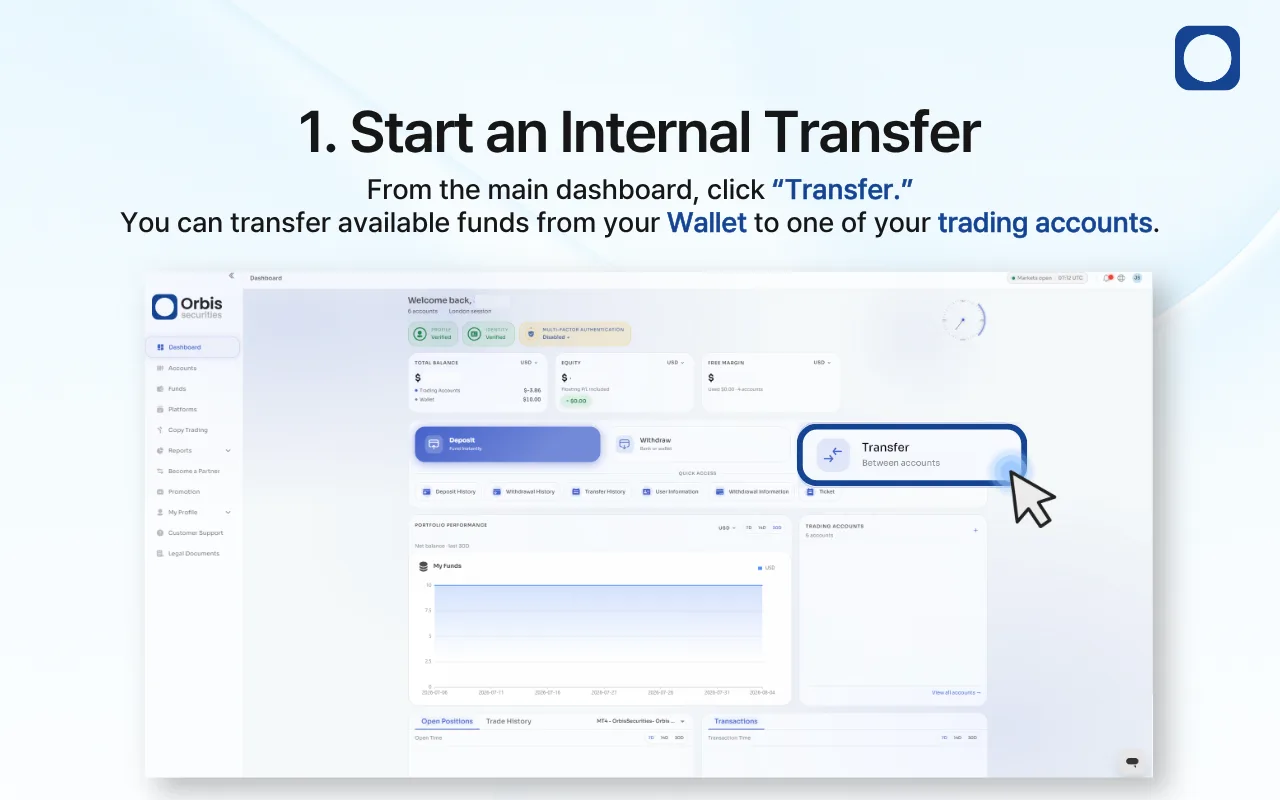
Sign in to the Orbis Securities Client Portal and go to the main dashboard.
Click “Transfer” to open the internal transfer page. You can use this function to move available funds from your Wallet to one of your trading accounts.
2. Enter the Transfer Details
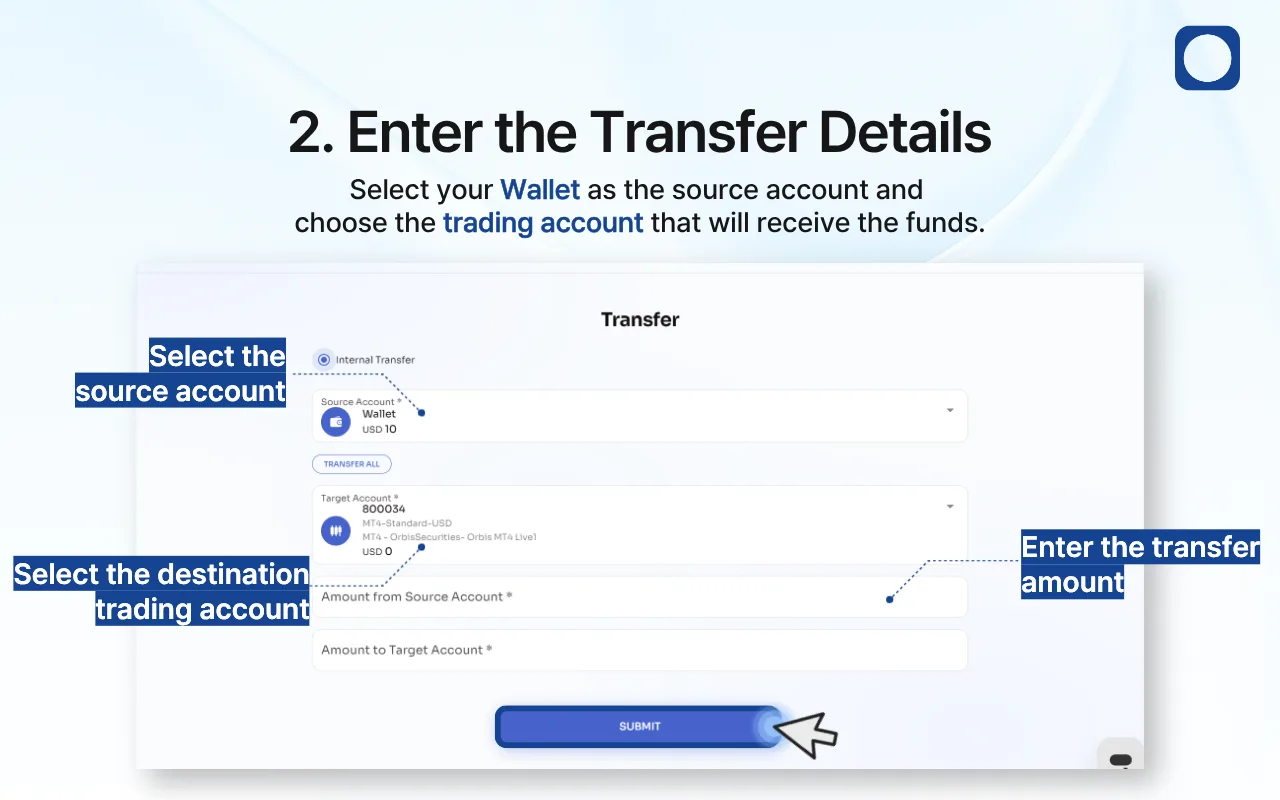
Select your Wallet under “Source Account.”
Under “Target Account,” choose the trading account that will receive the funds. Check the account number, account type, platform, and currency to make sure you have selected the correct account.
Enter the amount you want to transfer in the “Amount from Source Account” field. The “Amount to Target Account” field will be calculated automatically.
To move your entire available balance, click “Transfer All.”
Review the following information before submitting:
Source account
Available balance
Destination trading account
Transfer amount
Amount to be credited
Once all information is correct, click “Submit.”
Important: Confirm the destination trading account carefully before submitting. If you have multiple trading accounts, check the account number and platform to avoid transferring funds to the wrong account.
3. Transfer Complete
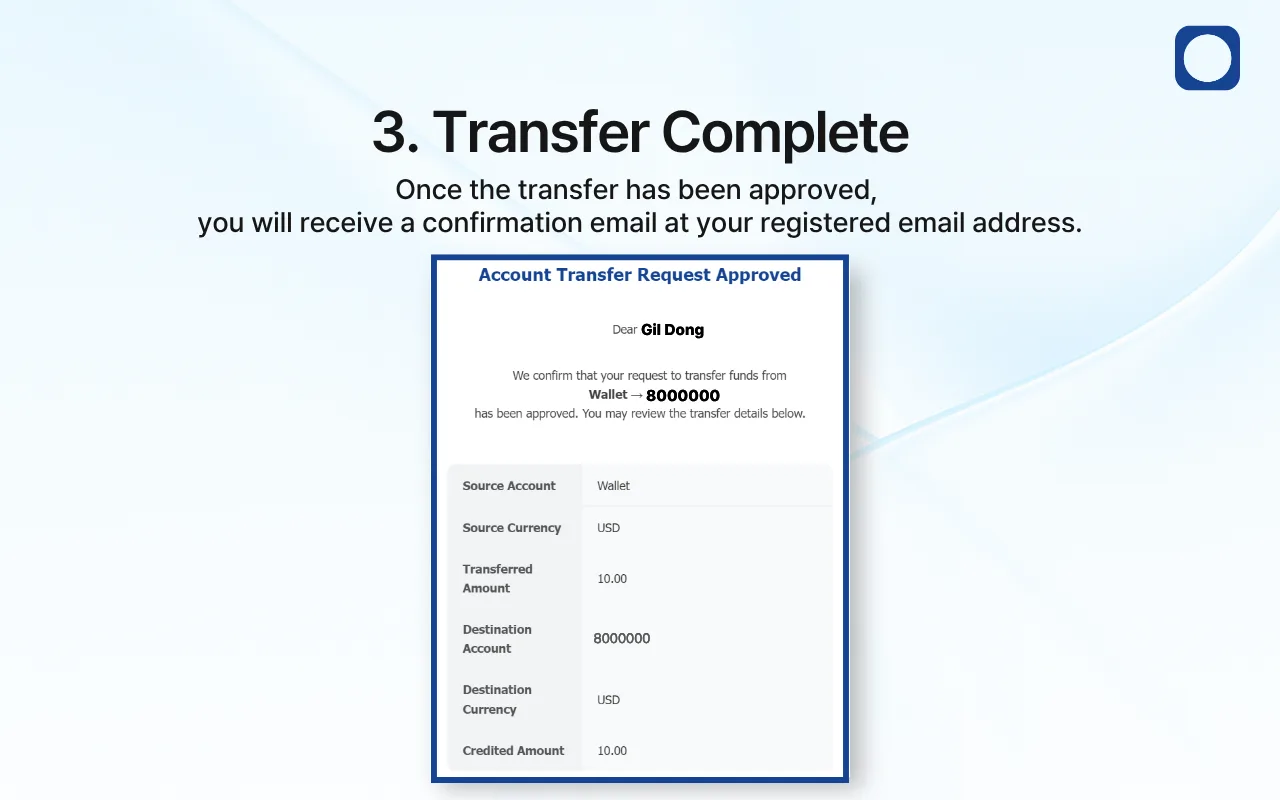
Once the transfer request has been approved, a confirmation email will be sent to your registered email address.
You can also review the completed transaction under “Transfer History.”