
You can deposit funds into your Orbis Securities Wallet by bank transfer. Available payment currencies and transfer instructions may vary by country.
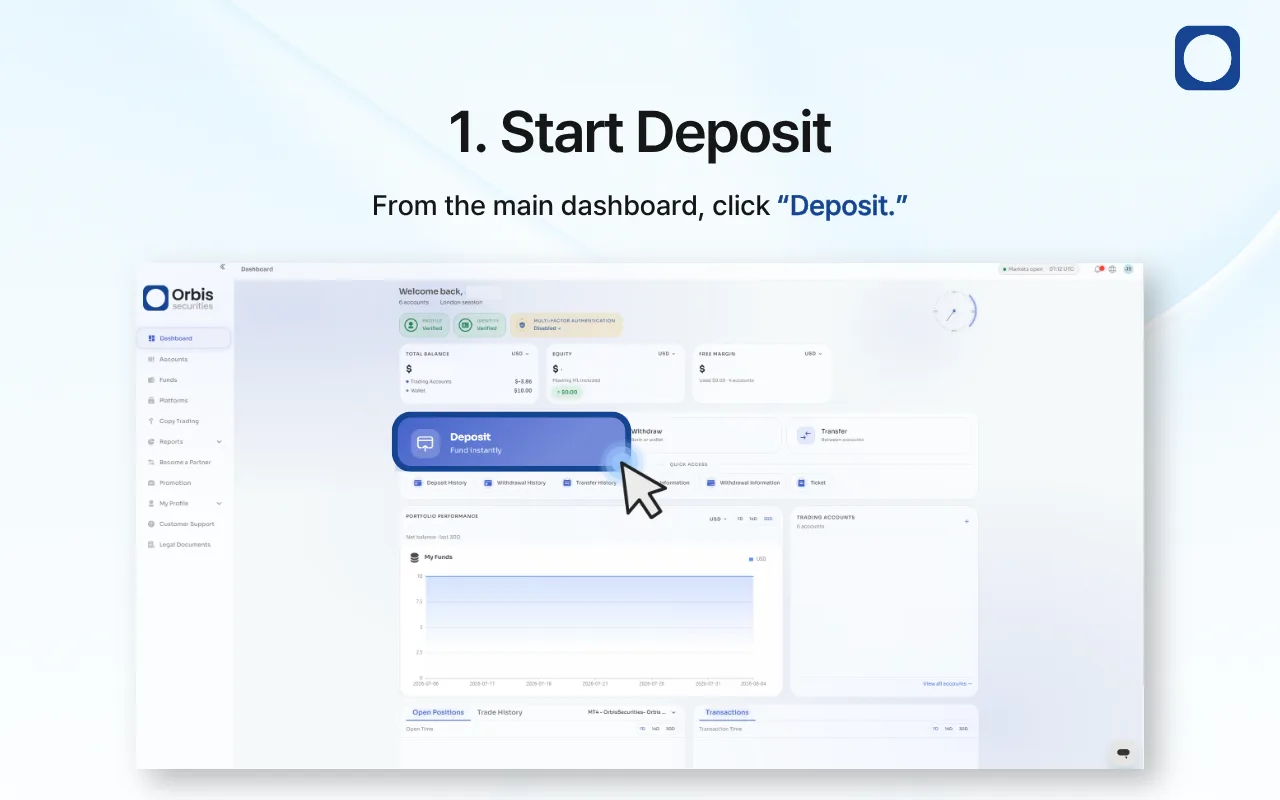
1. Start a Deposit
Sign in to the Client Portal and click “Deposit” on the main dashboard.
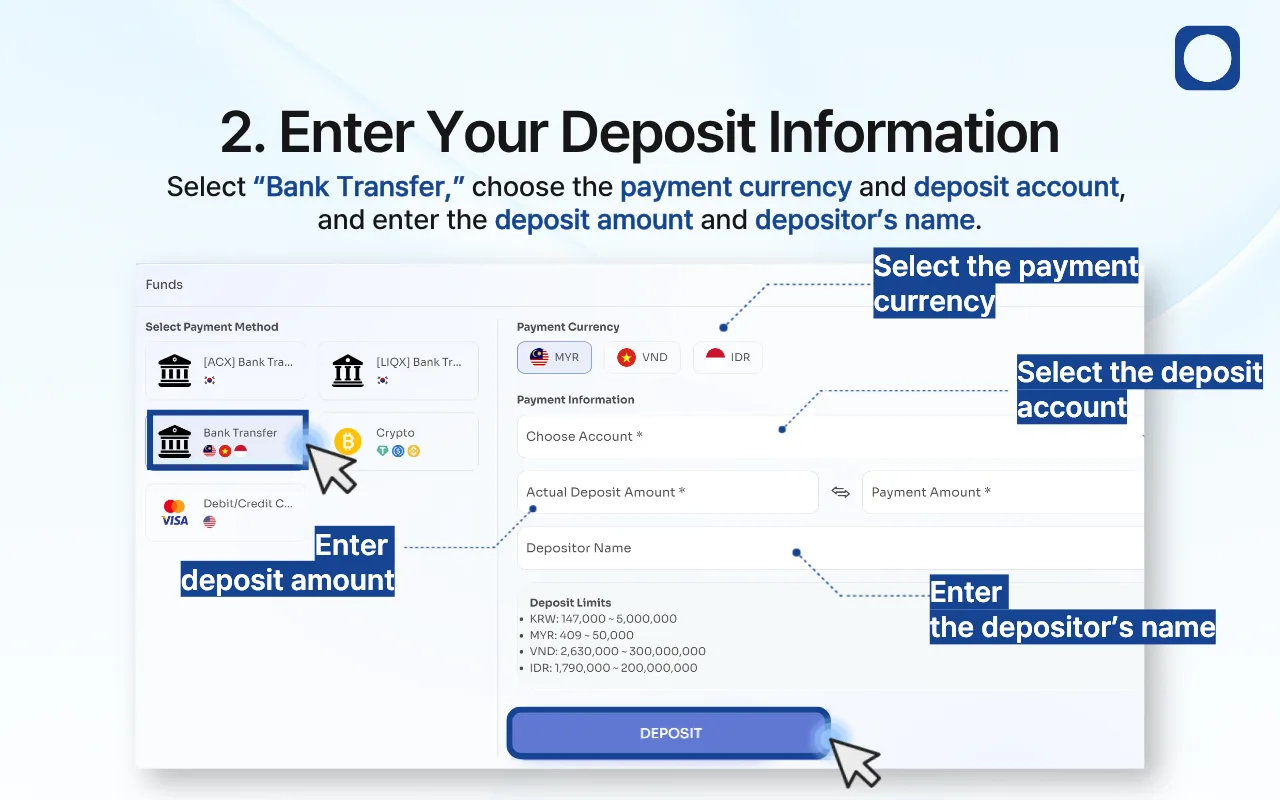
2. Enter Your Deposit Information
Select “Bank Transfer,” choose the payment currency and deposit account, and enter the deposit amount and depositor’s name.
Review the applicable deposit limits, and then click “Deposit.”
Important: Enter the depositor’s name exactly as it appears on the bank account used for the transfer.
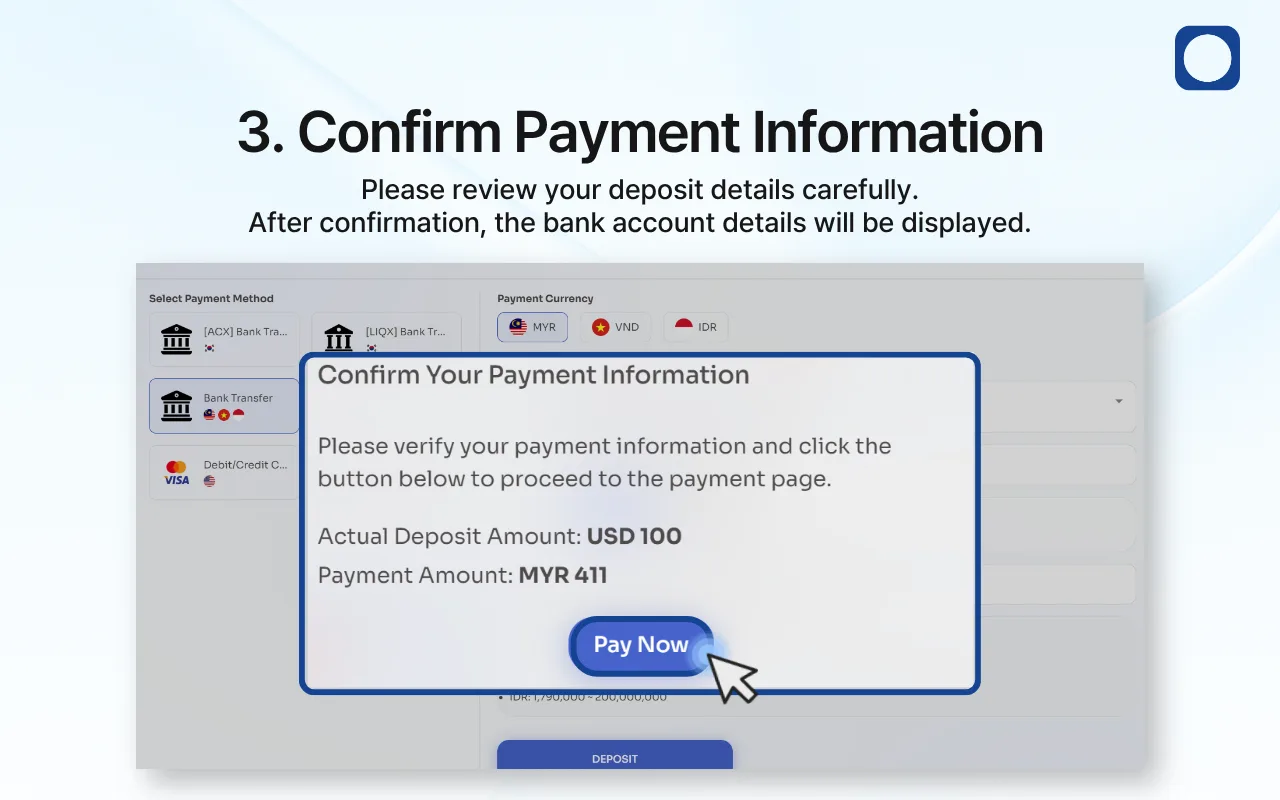
3. Confirm Your Payment Information
Review the actual deposit amount and payment amount carefully.
If all information is correct, click “Pay Now” to view the bank transfer instructions.
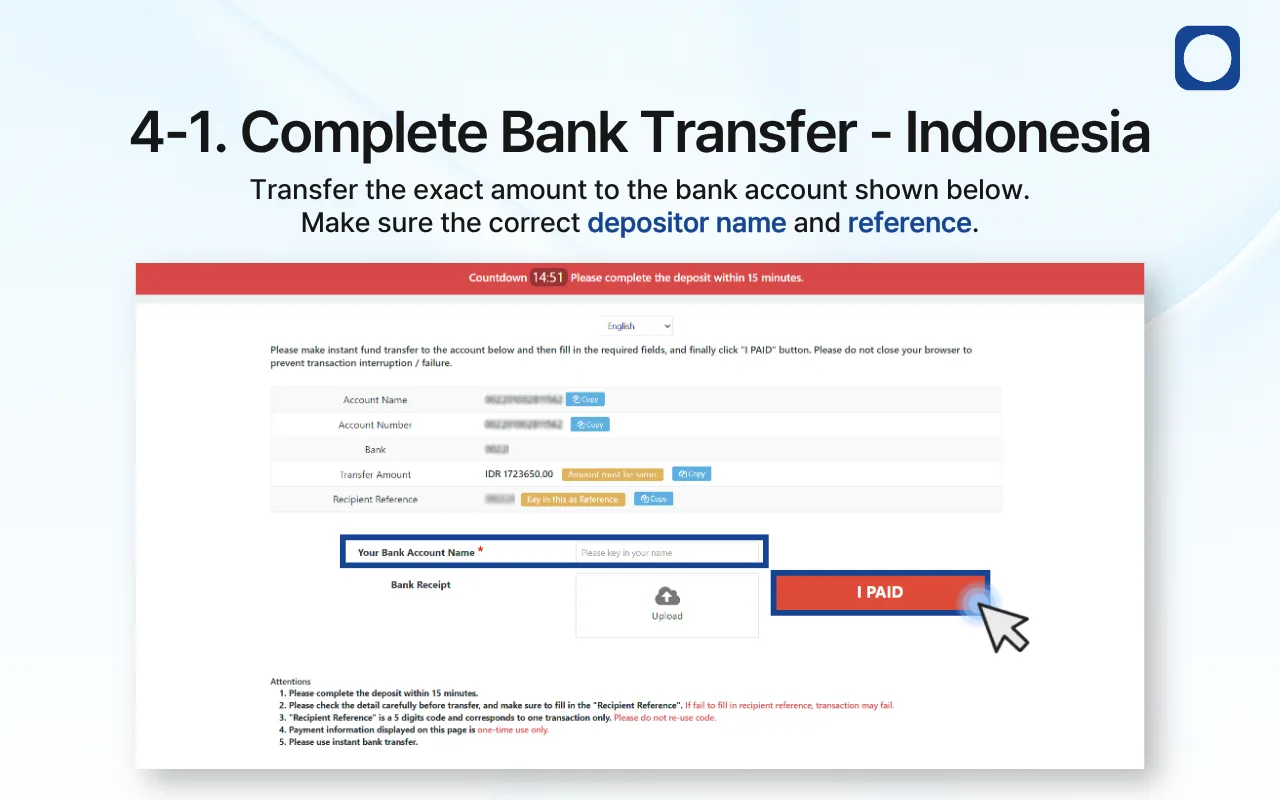
4-1. Indonesia
Transfer the exact amount to the bank account shown on the payment page.
Enter the correct bank account name and recipient reference, upload the bank receipt, and then click “I PAID.”
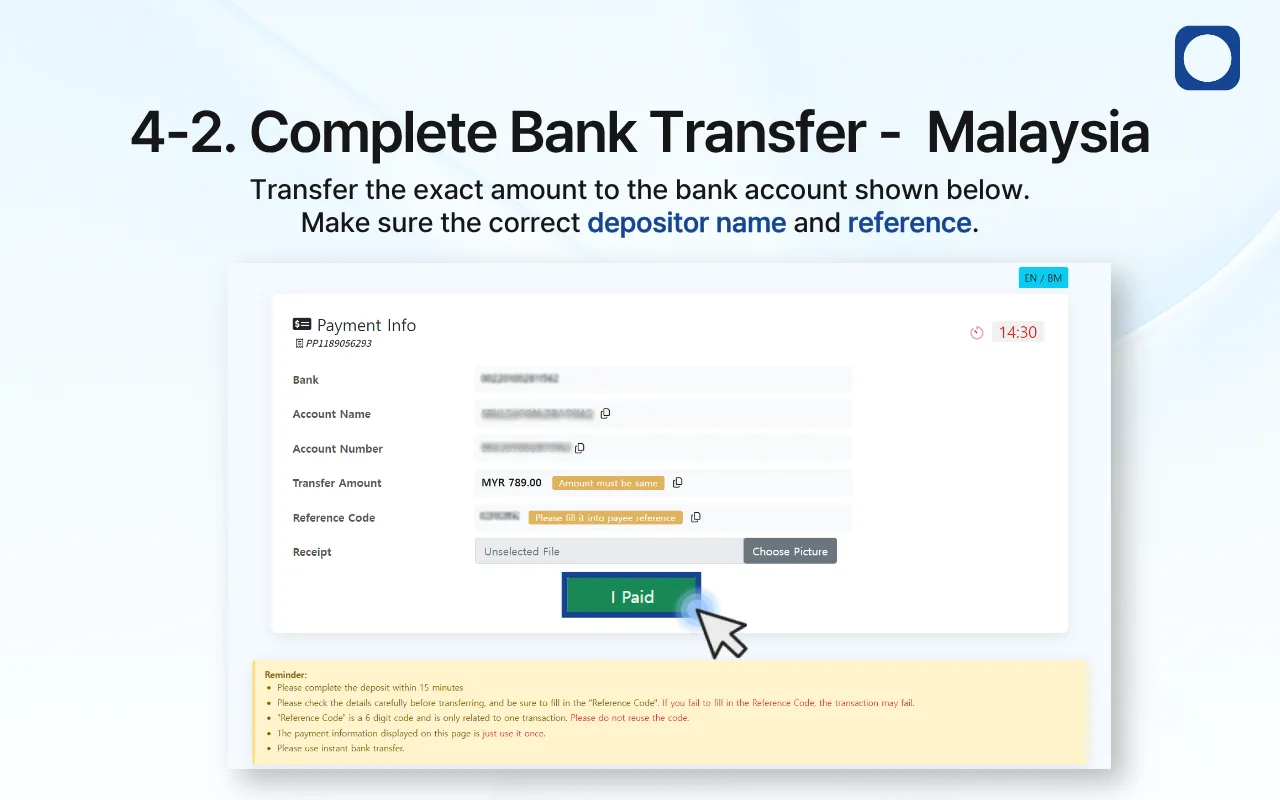
4-2. Malaysia
Transfer the exact amount to the bank account shown on the payment page.
Enter the reference code exactly as displayed, upload your payment receipt, and then click “I Paid.”
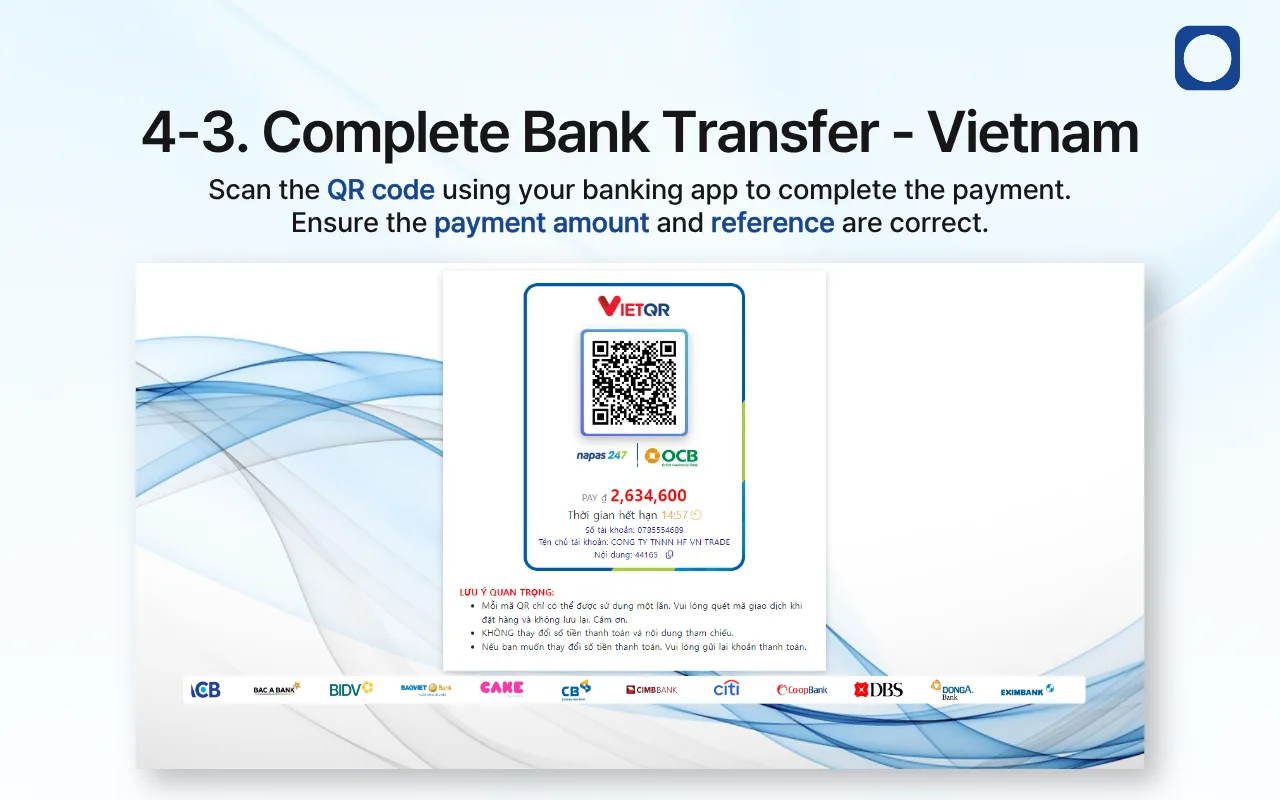
4-3. Vietnam
Open your banking app and scan the QR code displayed on the payment page.
Before completing the payment, confirm that the payment amount and reference are correct.
Important: Do not change the payment amount or reference. Incorrect information may delay or prevent your deposit from being processed.
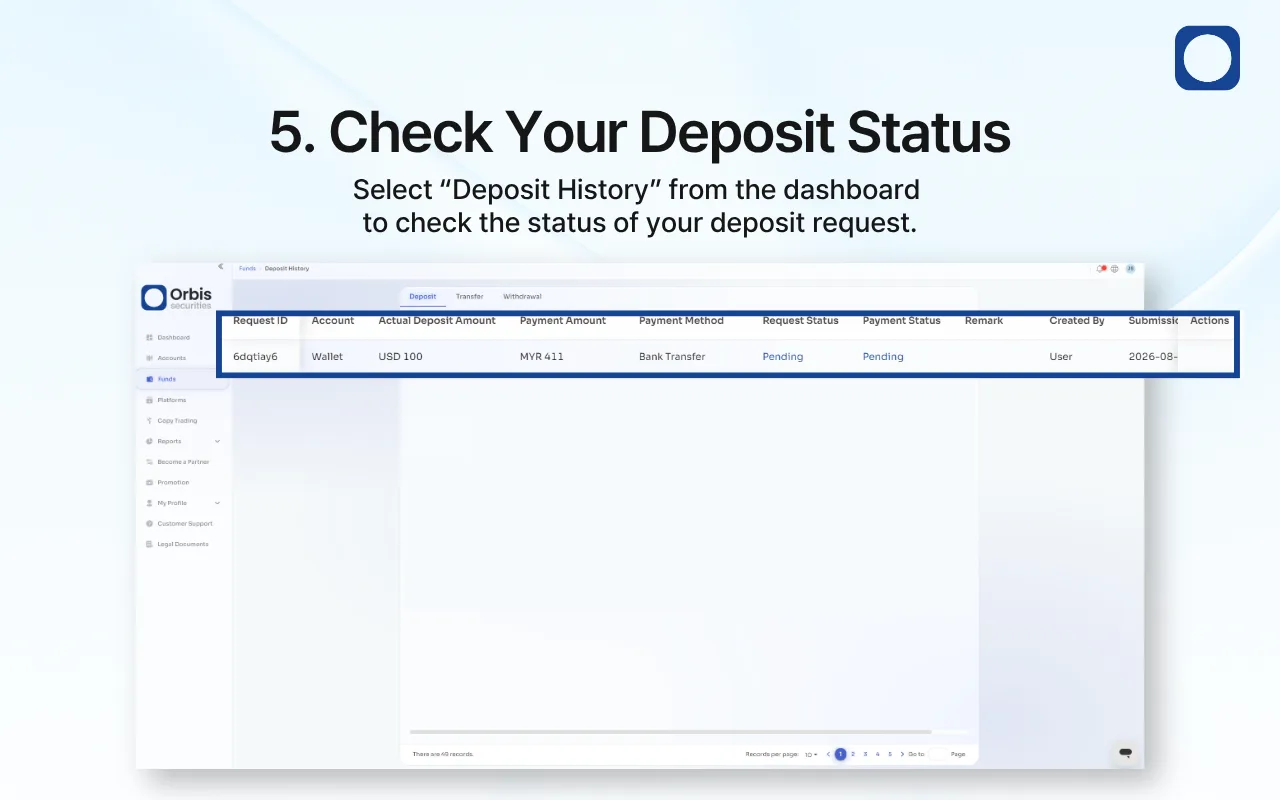
5. Check Your Deposit Status
Select “Deposit History” from the dashboard to check your request status and payment status.
Your deposit may appear as “Pending” while the payment is being reviewed.
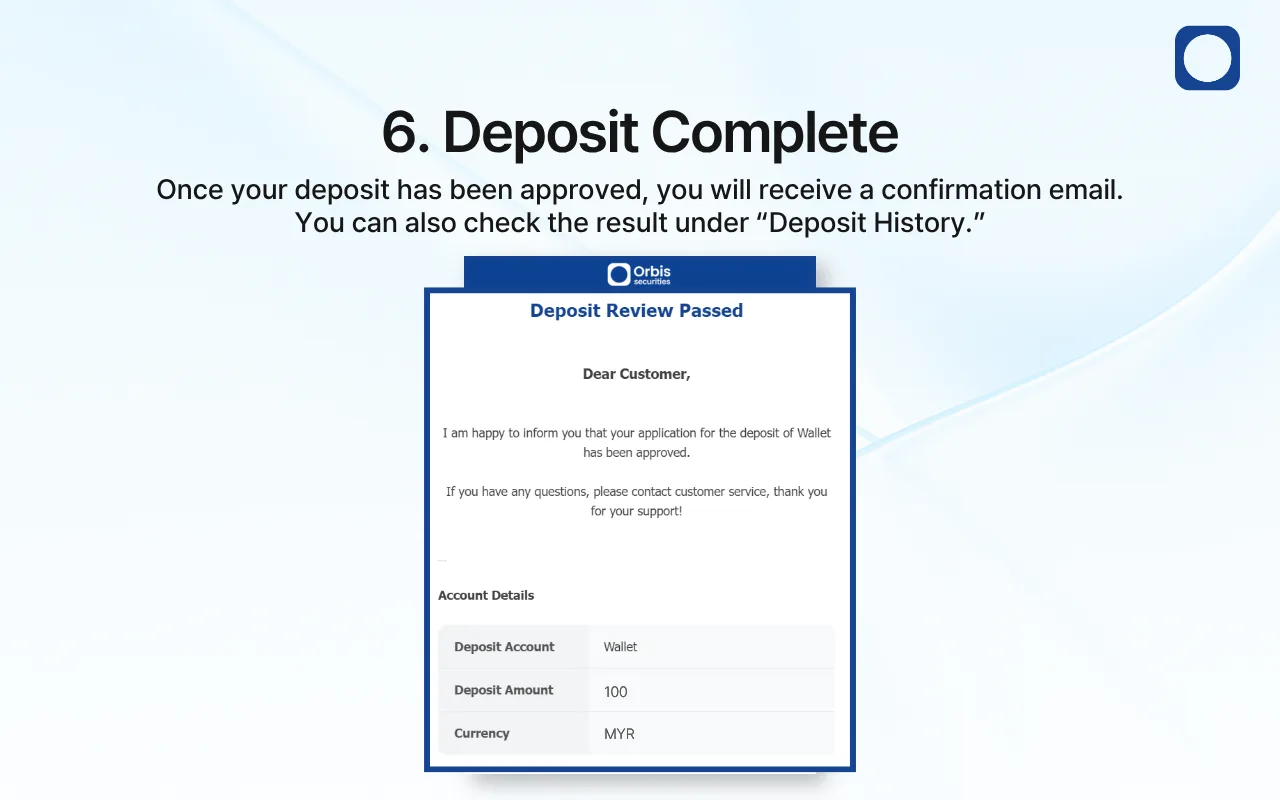
6. Deposit Complete
Once your deposit has been approved, you will receive a confirmation email at your registered email address.
You can also confirm the result under “Deposit History.”